
Searching for the right one between Skool vs Teachable?
If that’s the case, it’s simple.
You just need to look into their features, check the reviews, and, of course, talk to them in person to get the real information.
But, if you want to skip the hard work, this guide will save you time.
Here I’ll share with you the complete differences between Skool and Teachable side by side and share a better alternative to them.
Let’s get into it real quick!
Quick summary of Skool vs Teachable
Skool is a community-focused platform that lets you make unlimited courses, members, and videos.
Teachable is a course-focused platform that lets you make 5 products, AI tools, upsells, and cart recovery.
Skool charges you 10% transaction fees while Teachable takes 7.5% for the same reason.
Skool pricing starts at $9/month.
Teachable pricing starts at $39/month.
What is Skool?
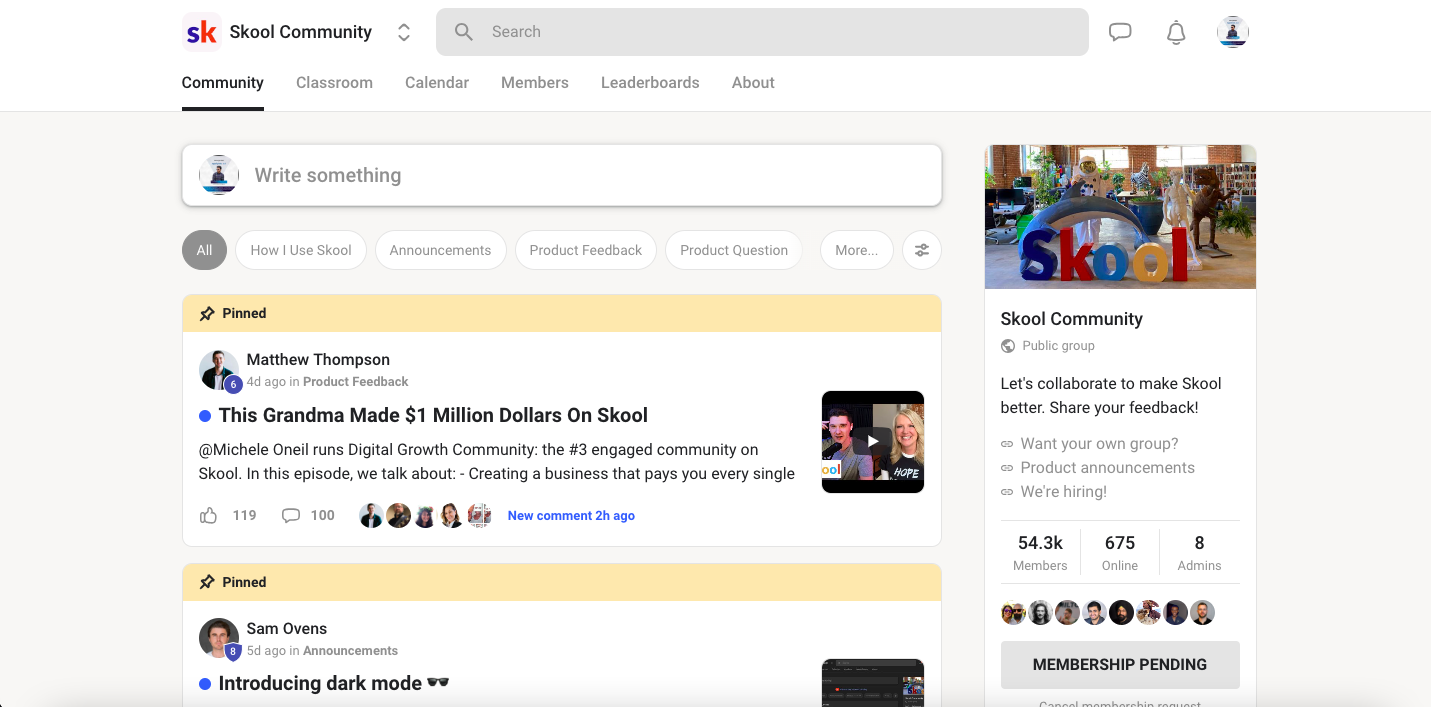
Skool is an online community platform that gives you a space to teach your students with cool gamification.
Basically, it lets you make courses, add students, and store videos with no limit. However, it does take a 10% fee for every transaction.
On the positive side, this platform lets you get a community space to keep your students in one place.
Plus, you’ll find cool gamification options like points, badges, and status emojis. Besides, it lets you teach your students in a classroom with no distractions.
Sadly, this platform has no membership, site creation, or AI tools that most platforms nowadays offer.
User Reviews: 77% are having issues with Skool, while the 23% are finding it good. (Trustpilot)
What is Teachable?

Teachable is an online course platform that lets you make courses and sell them to your learners in one place.
Basically, you’ll get tools to make courses and set up coaching programs. Plus, it gives you options to make digital downloads and then sell them.
Not to mention that you can run membership content with it and add pricing models to give access to your plans.
It also has a Create with AI option to make new content, outlines, or anything you want.
But then, it doesn’t contain a branded mobile app but gives you a student app to manage your students in one space. Plus, it charges you 7.5% of transaction fees with its starter plan.
User Reviews: 41% are having issues with Teachable, while 59% are happy using it. (Trustpilot)
Comparison table of Skool vs Teachable
Features | Skool | Teachable |
Ideal for | Community-focused creators | Course-focused creators |
Members | Unlimited | 100 to 5000 students |
Courses | Unlimited | 5 to 50 products |
Videos | Unlimited | Up to 1TB |
Live calls | Unlimited | - |
Affiliate program | Added on Pro plan | Added on Builder plan |
Admin users | - | 1 to 5 users |
Special features | Custom URL | Memberships + templates + drip course content + auto-graded quizzes + certificates + course compliance + bulk student imports |
Transaction fees | 2.9% on Pro plan or 10% for the Hobby plan | 7.5% for the Starter plan |
Starting price | Starts at $9/month | Starts at $39/month |
Comparing Skool vs Teachable: In-depth features
In this section, I’ll share all the differential points of Skool vs Teachable in real time. For that, I have checked their features, quality, and pricing aspects along with their reviews.
Here’s what I found out:
1. Transaction fees
To compare Skool and Teachable, I looked into their transaction fees.
Well, Skool has 10% fees that they take per use in transactions by your students with the Hobby plan.

However, it charges 2.9% - 3.9% + $0.30 as transaction fees with the Pro plan.

On the other hand, Teachable comes with a 7.5% transaction fee that you’ll need to pay when going with its Starter plan.
2. Number of courses & students
Skool comes with unlimited courses and students to add to them with no limit. In contrast, Teachable has limits with its pricing plans.
Like, it has 5 to 50 products on its pricing plans. But, you can get a personalized number of courses and students with its Sellers plan.
3. AI tools
Teachable has Create with AI that helps you make content, outlines, and ideas using the help of AI.
But then, Skool has no AI tools to help you make anything or make things easier.
4. Videos
For storing videos or transferring, both platforms give diverse limits to their plans. Like, you’ll get no limit with the Skool plan.
But then, the Teachable platform has 5 TB of video storage. However, you can choose it in a customized way with the Custom plan.
5. Platform features
Teachable contains tons of features to manage your students, host memberships, and so on.
Plus, it contains course design templates to pick a style and use for your course content.
Besides, it gives you lesson comments, drip course content, auto-graded quizzes, and short answer assessments.
With that, this platform lets you add certificates after completion and add bulk student imports.
Sadly, Skool doesn’t offer these options as it contains basic course creation tools.
6. Sales & marketing

Skool doesn’t offer any marketing or sales tools with its pricing plans. But then, you’ll find tons of options with Teachable.
Basically, it gives you a payment gateway of its own. Plus, you’ll find student referrals, coupons, upsells, and order bumps for marketing purposes.
Then again, this platform gives you abandoned cart emails and bundles. It also lets you get email marketing and affiliate program features to promote your courses to others.
Besides, it gives you a custom reporting option to track your student’s progress in real time.
7. Support team
Teachable comes with better support where you can reach out to them via email, get real-time support, and find priority contact.
But, a few users don’t find its support team responding to the issue on time. It also provides you with migration services with its Custom plan.
Then again, Skool comes with a basic customer support option for helping its users. However, like the Teachable platform, it has pretty bad reviews of its support team’s response.
8. Pricing plans
If talking about the pricing range of both platforms, they differ in this aspect. Like, Skool comes with two pricing plans, which are Hobby and Pro.

To put it simply, Hobby costs $9/month, and the Pro plan costs $99/month.
Compared to Skool, Teachable comes with 4 pricing plans, which are Starter, Builder, Growth, and Sellers.
Basically, it has a diverse pricing range:

1. Starter: $39/month
2. Builder: $89/month
3. Growth: $189/month
4. Sellers: Custom pricing plan
Is there a better alternative to Skool vs Teachable?
Yes, tons of platforms perform better than Skool and Teachable if comparing them side by side.
Out of them, I have picked one that seems to work better for course, community, AI builders, and gamification needs.
Let me share it below:
EzyCourse

EzyCourse is an all-in-one platform that lets you make, manage, market, and sell courses.
It also lets you make courses or a site with the help of AI builders. With this platform, you can sell 5 digital products (including PDFs, Notion templates, and so on).
Besides, you can get a free branded mobile app with the Unlimited plan. Plus, it lets you get marketing tools like email marketing and an affiliate program with its Pro plan.
And, one thing most users liked about EzyCourse is the 24/7 support. Overall, it is a great platform for course creation and building a community among students.
Top features of EzyCourse
Free branded mobile app in Unlimited plan.
AI builders to make a course and site.
Sell 5 digital products + email marketing (10K/month).
1 coaching prorgams + SCORM complaint.
Unlimited courses and students.
24/7 client support (live chat + email).
Pricing plan

This platform comes with four pricing plans, with the Essential plan starting at $79/month.
Skool vs Teachable: Which one should you go with?
Between Skool vs Teachable, it’s clear that both work great but for diverse needs.
First of all, both platform solevs diverse needs of users. Secondly, they are solving a specific kind of demand.
You can go with SKool if you are focusing on building a community with your students with unlimited storage and courses.
But if your focus is selling courses to students with tools for marketing, integration, and other needs, Teachable would be better.
However, you can get the best of both worlds with Ezycourse. Well, it gives you all the tools for course, community, & site creation.


