![Best Streaming Platforms 2026: Netflix, Disney+ & 8 More [Free Included]](https://f.ezycourse.net/2422/cm9wn2n7m08ca4j8z5b04a7p0.jpg)
Here's how users are evolving in consumer- streaming services:
Netflix: 301.6 million subscribers
Amazon Prime Video: 200 million subscribers
Disney+: 127.8–131.6 million subscribers
Max (HBO): 127.2 million subscribers
Even though stats say that 76% of people worldwide watch streaming services daily.
So, it seems to say that streaming platforms have become an integrated part of our daily lives.
That’s why we’ve rounded up the 10 Best Streaming Platforms that you should give a try.
TL;DR
After extensive research, we have concluded that these are the best streaming platforms in 2026:
Netflix: Best for binge-worthy originals, movies & global content
Amazon Prime Video: Best for award-winning originals & Prime member perks
Disney+: Best for Marvel, Star Wars, Pixar & family content
Max (HBO): Best for prestige dramas, HBO classics & Warner Bros. films
Hulu: Best for next-day TV episodes, originals & live TV combo
Apple TV+: Best for premium, critically acclaimed Apple original films & series
Paramount+: Best for CBS, Yellowstone universe, Champions League & Showtime
Peacock: Best for NBC content, WWE, Premier League & Sunday Night Football
Crunchyroll: Best for anime, manga & Japanese entertainment
Tubi: Best for free ad-supported movies & classic TV shows
Let’s get down to details.
1. Netflix: The Ultimate Premium Streaming Platform
Netflix remains the world's leading streaming service, boasting a massive library of movies, TV series, documentaries, anime, and critically acclaimed Netflix Originals.
Its advanced recommendation system suggests content based on viewing history, and each user gets a unique experience through individually customizable profiles.
Compatible Devices
Netflix works seamlessly on Smart TVs, Apple TV, Android TV, Amazon Fire TV, Blu-ray players, gaming consoles (PlayStation, Xbox), computers (Mac/PC), smartphones, tablets, and most streaming devices.
Key Features:
Extensive Library: Thousands of titles, including blockbuster movies, binge-worthy series, documentaries, and exclusive Netflix Originals.
Smart Recommendations: Advanced AI suggests content tailored to your preferences, helping you discover new favorites quickly.
Multi-User Profiles: Create up to 5 profiles per account, each with an individual watch history and personalized parental controls.
Offline Viewing: Download select movies and shows on mobile devices and tablets for watching without an internet connection.
High-Quality Streaming: Supports Full HD, Ultra HD (4K), HDR, and spatial audio depending on your plan.
Cons that you will see on Netflix:
Frequent price increases (another hike occurred in March 2026).
Content is regularly rotated or removed due to licensing.
The ad-supported plan has some title restrictions and interruptions.
The premium plan is relatively expensive for 4K access.
Pricing (based on U.S. region):
Standard with Ads: $8.99/month (2 devices, 1080p Full HD)
Standard: $19.99/month (2 devices, 1080p Full HD, ad-free)
Premium: $26.99/month (4 devices, 4K Ultra HD + HDR, ad-free, Spatial Audio, downloads on 6 devices)
2. Amazon Prime Video: Streaming with Extra Perks
If you're already an Amazon Prime member, Prime Video comes bundled right in with no extra subscription cost.
It's a solid streaming service that blends award-winning original series, blockbuster movies, exclusive live sports, and the flexibility to rent or buy titles that haven't yet hit the streaming catalog.
However, you can also expand your content options by subscribing to premium add-on channels like Max, Starz, and more - all without leaving the app.
Supported Devices
It works smoothly across almost everything: Fire TV sticks and devices, Roku, Apple TV, Chromecast, Smart TVs (Samsung, LG, Sony, etc.), gaming consoles (Xbox, PlayStation), Blu-ray players, computers, iPhones, iPads, Android phones and tablets.
Key features that make Prime Video worth it:
Live Sports Coverage: Exclusive streaming rights for NFL Thursday Night Football, NBA, WNBA, NASCAR, NWSL, and The Masters - all included with your Prime membership.
Rent and Buy New Releases: Watch newly released films before they officially land on streaming catalogs.
Offline Viewing: Download up to 50 titles on the base plan, or up to 100 with Prime Video Ultra, which is great for travel.
HD Streaming with Dolby Vision: All Prime members now get HD, HDR, and Dolby Vision at no extra cost.
A few things worth knowing before you subscribe - Cons:
The core library of high-quality originals feels smaller than Netflix's or Disney+'s in certain genres.
The base plan now includes ads unless you pay extra for the ad-free tier.
Some popular titles and new releases require additional rental/purchase fees or channel subscriptions.
4K Ultra HD and advanced features are now locked behind the new Prime Video Ultra add-on.
Pricing:
Amazon Prime Monthly: $14.99/month or $139/year
Standalone Prime Video: $8.99/month
Prime Video Ultra Add-On: +$4.99/month or $45.99/year
3. Max (HBO): Premium Hits, Blockbuster Movies & Must-Watch Originals

Max (HBO) has quietly turned into one of the smartest all-rounders in streaming right now.
It’s the place where you’ll find those must-watch HBO dramas everyone raves about, plus fresh Max Originals, big Warner Bros. movies, DC superhero flicks, Adult Swim weirdness, and a solid lineup of live sports.
Compatible Devices
HBO Max is available on Amazon Fire TV (including Fire TV Stick, Fire TV Cube, and Echo Show devices), Amazon Fire Tablets, Android phones and tablets, Android TV and Chromecast with Google TV, Apple TV, iPhones and iPads, LG Smart TVs, Hisense VIDAA Smart TVs, PlayStation 4 and 5, Roku, Samsung Smart TVs, Xbox (One and Series X|S), Xfinity, Cox Contour HBO Max, and Mac/PC via HBOMax.com in supported browsers (Chrome, Firefox, Edge, Safari).
Here are the standout features you’ll appreciate most:
The HBO Vault: You get the full HBO catalogue alongside exclusive Max Originals, blockbuster Warner Bros. releases, and an upcoming collection.
Live Sports on 300+ Annual Events: Live sports including NHL on TNT, MLB on TBS, NCAA March Madness, and more.
Offline Viewing & Streaming: Offline downloads are generous (up to 100 on the top tier), and simultaneous streams support up to 4 people.
Where Max doesn’t fully deliver:
HBO Max no longer offers a free trial.
The cheapest plan doesn’t include the full content library, especially newer films
Live sports and offline downloads are gated behind higher tiers.
Pricing:
Basic with Ads: £4.99/month
Standard with Ads: £5.99/month
Standard (Ad-Free): £9.99/month
Premium (4K UHD): £14.99/month
4. Disney+: A Family-Friendly Streaming Service

Disney+ is the ultimate streaming home for Disney, Pixar, Marvel, Star Wars, and National Geographic fans.
It’s packed with beloved animated classics, blockbuster superhero movies, epic sci-fi sagas, and a growing lineup of exclusive originals that the whole family can enjoy together.
Supports on
Disney+ works great on pretty much any modern screen, like Amazon Fire TV and Fire tablets, Roku, Chromecast, Apple TV, Android TV, Smart TVs (Samsung, LG, Sony, and more), gaming consoles (Xbox, PlayStation), iPhones, iPads, Android phones and tablets, computers, and most streaming devices.
Key features that people love on Disney+:
Originals Exclusively on Disney+: Massive collection of Disney, Pixar, Marvel, Star Wars, and National Geographic originals and classics.
Premium Streaming Quality: The Premium plan unlocks 4K UHD, Dolby Vision, and Dolby Atmos, giving a genuine cinematic experience at home for those willing to pay for it.
Robust Parental Controls: Junior Mode, PIN protection, content rating filters, and per-profile customization make this one of the safest streaming environments for kids.
Flexible Bundle Options: Pair Disney+ with Hulu and ESPN+ for sports and general entertainment, or go all-in with the Disney+, Hulu, and Max bundle for one of the most comprehensive streaming packages available.
Offline Downloads: Premium subscribers can download content on up to 10 devices.
Drawbacks you will find on Disney+:
The overall library is noticeably smaller than Netflix, especially for non-Disney adult content and older TV shows.
No live TV channels outside of sports add-ons through bundles.
Pricing:
Disney+ with ads: $11.99/month.
Disney+ Premium (Ad-Free): $18.99/month or $189.99/year
Disney+ & Hulu Bundle (with Ads): $12.99/month (promotional deals sometimes drop it to $4.99 for the first 3 months).
Disney+ & Hulu Bundle (Premium/Ad-Free): $19.99/month.
Disney Trio Bundle (Disney+, Hulu & ESPN+): Starts around $19.99–$29.99/month depending on ad tier.

5. Hulu: Affordable Streaming with Live TV Options
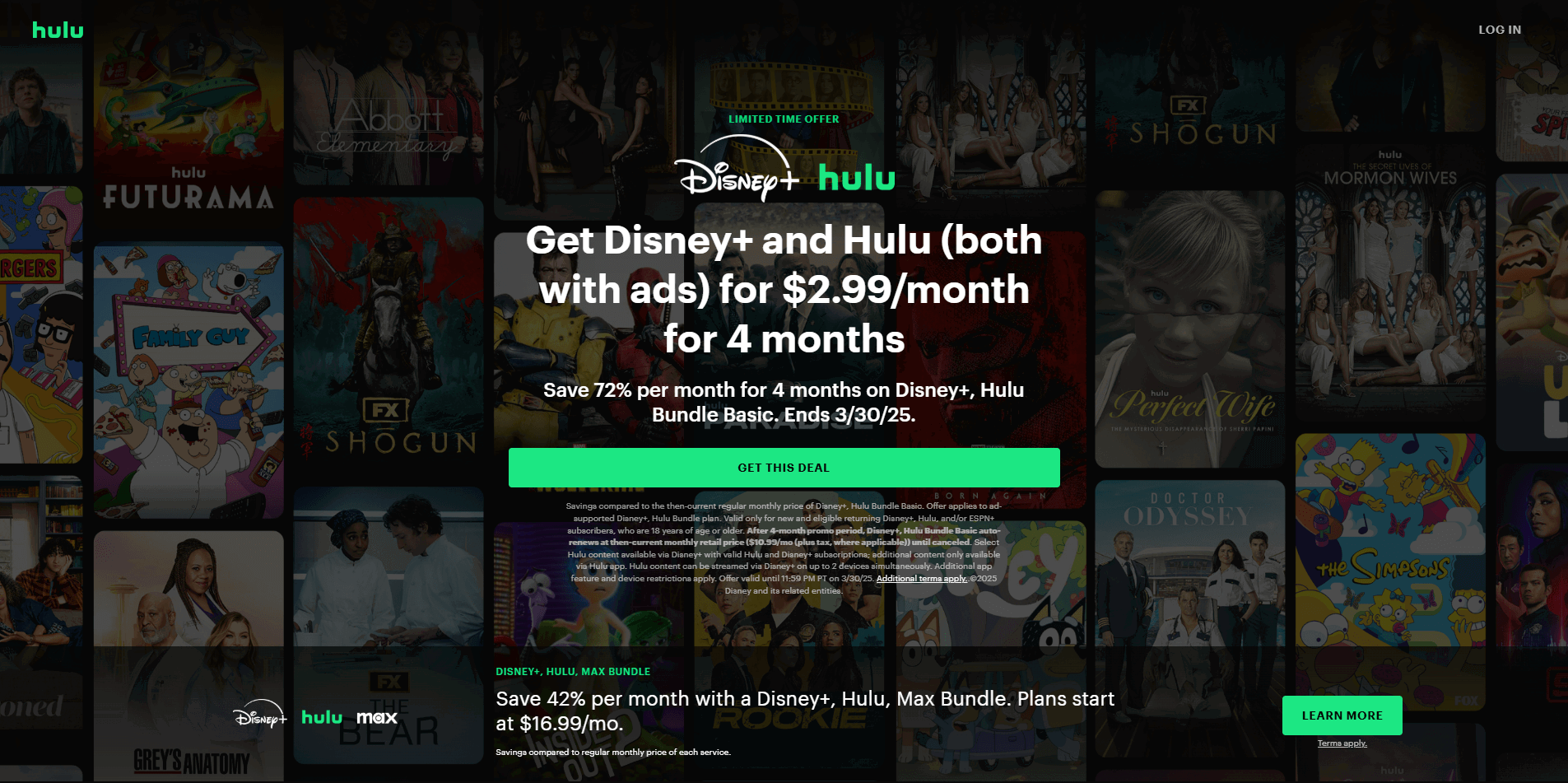
Hulu has been in the streaming game since 2007, and it's one of the few platforms that genuinely bridges on-demand and live TV in a single subscription.
So, if you're someone who still wants live news, sports, and network TV but also a library with originals and current-season shows - Hulu is one of the most natural cable replacements out there.
It's now fully owned by Disney, which means its content ecosystem is tightly connected with Disney+ and ESPN+, giving bundle subscribers a remarkably broad entertainment package.
Compatible Devices
Hulu works on almost any screen you own: Amazon Fire TV and Fire tablets, Roku, Apple TV, Chromecast, Android TV, Smart TVs (Samsung, LG, Vizio, and more), gaming consoles (Xbox, PlayStation 4/5), iPhones, iPads, Android phones and tablets, and computers (Mac/PC).
What Hulu genuinely does well - key features:
Live TV with 100+ Channels: Sports, news, and entertainment all in one place. Hulu + Live TV covers local ABC, CBS, FOX, and NBC affiliates in most markets, plus dedicated sports networks like ESPN, MLB Network, and the Golf Channel.
Unlimited DVR Included: Unlike most competitors, Hulu + Live TV bundles Unlimited DVR at no extra charge.
Flexible Ad-Supported or Ad-Free Plans: You can choose to pay less and tolerate ads, or upgrade to No Ads for uninterrupted viewing. Most content is fully commercial-free on the premium tier.
Premium Add-Ons in One Place: Bolt on Max, Paramount+ with Showtime, Cinemax, Starz, and more (all managed from within your Hulu account without juggling multiple apps).
Cons that you will see on Hulu:
4K is locked behind an extra paywall. As of April 10, 2026, 4K/UHD streaming is no longer included in the base Prime plan.
Ads on the base plan are more disruptive than rivals (even on the cheapest tier).
Offline downloads aren't on the entry-level plan.
Simultaneous streams are limited on the base plan. The standard plan supports two streams at a time.
Pricing:
Hulu (With Ads): $11.99/month (or $119.99/year)
Hulu (No Ads): $18.99/month
Hulu + Live TV (With Ads): $89.99/month – Includes 95+ live channels, unlimited DVR, plus Disney+ and ESPN Select (all with ads).
Hulu + Live TV (Premium/Ad-Free): $99.99/month – Ad-free Hulu and Disney+, with some ads still on ESPN.
Popular Bundles: Disney+ & Hulu (With Ads) starts at $12.99/month | Disney+ & Hulu (No Ads) at $19.99/month.
6. Apple TV: Premium Original Content

Apple TV earns its spot in this list not by volume, but by sheer quality.
Since launching in 2019, Apple has taken the "fewer but better" approach to streaming, and it's paying off.
It’s no longer just a prestige drama machine. It's quietly become an essential destination for live sports fans, too, and if you follow F1, MLS, or MLB, that matters a lot.
However, Apple rebranded the service from Apple TV+ to simply Apple TV in 2025. This seems like great content with a cleaner name.
Compatible Devices
The Apple TV app is available almost everywhere these days on Apple TV (hardware), iPhones and iPads, Mac, Android phones and tablets (via Google Play Store), Amazon Fire TV, Roku, Chromecast with Google TV, Xbox One and Series X/S, PlayStation 4/5, LG, Panasonic, Samsung, Sony, and Vizio Smart TVs, and most modern web browsers.
Key features that make Apple TV special:
Everything in One Price (No Tiers, No Ads, Ever): Unlike nearly every competitor, Apple TV has a single plan.
Six Simultaneous Streams: Most services cap you at two or three. Apple TV lets up to six people stream simultaneously, all under one subscription.
Unlimited Offline Downloads: No download caps. As long as you're signed into your Apple ID, you can download as much as you want for offline viewing.
Family Sharing for Free: Share your subscription with up to five family members at no extra cost.
Free Trial with New Apple Devices: Buying a new iPhone, iPad, Mac, or Apple TV will give you 3 months of Apple TV.
A few honest drawbacks to consider:
The library is much smaller compared to Netflix or Disney+.
It leans heavily toward drama and prestige content, so fans of big action blockbusters or endless sitcoms may feel a bit limited.
The web browser version still feels clunky compared to the native app.
Pricing:
Apple TV Standalone: $12.99/month after a 7-day free trial (or $99.99/year).
Included with new Apple devices: 3 months free when you buy a new iPhone, iPad, Mac, or Apple TV.
Apple One bundles: Start at $19.95/month (includes Apple TV, Apple Music, iCloud+, Arcade, and more).
7. Paramount+: Stream the Best of Hollywood & Beyond

Paramount+ doesn’t get as much hype as Netflix or Disney+, but it does something different. It combines live TV, sports, and on-demand content in one place.
It started as CBS All Access, but now it’s a full hybrid platform. You can watch an NFL game, switch to a TV series, then jump into a movie- all in the same app.
It focuses more on variety than premium-only content. That makes it feel less curated, but more useful for everyday watching.
You’ll love these things about Paramount+:
The Sports Things: It packs in live sports like NFL on CBS, UEFA Champions League soccer, NWSL, and more right in the main subscription on higher plans.
Massive Media Library: You get a huge selection of Paramount movies, current CBS shows, Nickelodeon kids’ content, and strong originals like the Yellowstone universe.
Simultaneous Streams: You can stream on up to three devices simultaneously across both plans, which is more than several higher-priced competitors offer at the same price tier.
Offline viewing: Offline downloads are available on the Premium plan.
Kid-Safety: Kid-friendly profiles are baked in with separate maturity controls and a passcode-protected exit.
The things that'll make you think twice:
There's no free trial directly through Paramount+ anymore as of January 2026.
The 4K streaming quality bump is Premium-only.
The cheaper Essential plan is loaded with ads, including some that play before and after shows.
Some big live events and premium add-ons can require the higher tier or extra cost.
Pricing (Updated April 2026):
Essential (With Ads): $7.99/month or $79.99/year
Premium (No Ads): $13.99/month or $139.99/year
Pro tip: Students can get 50% off any Paramount+ plan after verifying their enrollment. The discount applies for the first 12 months, after which the subscription renews at the regular price. |
8. Peacock: Free and Premium TV Shows and Movies

Peacock stands out for offering a mix of classic TV comfort food, blockbuster movies, and serious live sports action (all from the NBCUniversal family).
Whether you want to rewatch old favourites or catch big games, it feels like a solid middle-ground option that doesn’t try to be everything to everyone.
Compatible Devices: Amazon Fire TV and Fire tablets, Roku, Apple TV, Chromecast with Google TV, Android TVs, most Smart TVs (Samsung, LG, Sony, Vizio, Hisense, and more), gaming consoles (Xbox, PlayStation 4 & 5), iPhones, iPads, Android phones and tablets, computers, and even Xfinity devices.
Here are some key features of Peacock:
Free & Premium Plans: Choice between ad-supported free content and ad-free premium access.
Old TV Shows & Movies: Including The Office, Parks and Recreation, and Yellowstone.
Live Sports & Events: Streaming coverage for WWE, the Olympics, Premier League, and the NFL.
Up to Six User Profiles, Three Simultaneous Streams: All plans support three streams at once and up to six individual profiles.
The negatives are:
The overall library can feel lighter on big non-NBC movies and prestige dramas than its bigger competitors.
Even on paid plans, you’ll see ads unless you upgrade to the highest tier (and even then, some live content may have limited ads).
Pricing:
Peacock Select (limited tier): $7.99/month or $79.99/year
Peacock Premium (with ads): $10.99/month or $109.99/year
Peacock Premium Plus (mostly ad-free): $16.99/month or $169.99/year
9. Crunchyroll: The Best Anime Streaming Service

Crunchyroll is the ultimate platform for anime fans, offering a massive selection of anime series and simulcasts.
You will get thousands of series, movies, and brand-new episodes dropping super fast from Japan, plus a growing stash of manga and fun extras.
Supported Devices
Apple TV, Chromecast, Amazon Fire TV, Google TV, Android phones and tablets, iOS (iPhone and iPad), Roku, Samsung Smart TVs, LG Smart TVs, Hisense TVs with VIDAA, Sony Smart TVs, Xbox, PlayStation 4/5, Xfinity X1, Xumo TV and Stream Box, Blu-ray players, and web browsers (Chrome, Firefox, Safari, Edge).
Key Features Crunchyroll provides:
The Deepest Anime Library on the Planet: 50,000+ episodes across every genre imaginable- action, romance, isekai, slice of life, mecha, horror.
Fast Simulcast Releases: New episodes from Japan land on Crunchyroll within hours.
Multiple User Profiles with Teen Mode: Crunchyroll now supports multiple profiles per account, including a Teen profile with PIN protection and content filtering
Crunchyroll Manga (Ultimate Fan Only): Hundreds of manga titles available to read digitally.
Ad-Supported Free Plan: Watch for free with limited ads. Doesn't include simulcasts or access to Crunchyroll's full anime and manga catalog.
The honest bad sides of Crunchyroll cons:
It’s 100% anime- and manga-focused, so you will get limited non-anime content like mainstream TV shows or Hollywood movies.
Several reviews say that AI-generated subtitles produce errors in episodes.
Pricing:
Fan Tier: $9.99/month.
Mega Fan Tier: $13.99/month.
Ultimate Fan Tier: $17.99/month.
10. Tubi: The Best Free Streaming Platform

Tubi is the real deal when it comes to completely free streaming- no subscription, no credit card, and no pressure to pay anything ever.
It gives you access to tens of thousands of movies, TV shows, hidden gems, and even a growing collection of Tubi Originals, all supported by short ad breaks.
If you’re tired of juggling paid apps but still want decent entertainment, this one feels like a genuine lifesaver for budget-conscious folks.
Compatible Range of Devices: Smart TVs (specific models not specified), Android mobile phones and tablets, iOS mobile phones and tablets, Amazon Fire TV and Stick, Apple TV, Chromecast, Roku, Android TV, Xbox One, PlayStation 4, Comcast xFinity X1, and Cox Contour.
Key Features:
Completely Free: No subscription, just watch with occasional ads.
Large Content Collection: Classic movies, TV shows, and hidden gems.
Works on All Devices: Available on smart TVs, smartphones, tablets, and web browsers.
Polished UI/UX: Clean, simple interface that works smoothly across every device, with no extra fees or complicated settings.
No Registration Required: No mandatory sign-up to begin watching (though it may gently prompt you to create a free account after a few minutes on some titles).
Trade-offs Tubi offers:
Many older titles stream at their original resolution: 480p or 720p rather than upscaled HD.
No offline downloads. You can't save anything to watch later without an internet connection.
Tubi's algorithm still lags well behind what Netflix or Disney+ offer in terms of personalized discovery.
Pricing: Completely free (ad-supported).

Key Factors to Consider Before Choosing a Streaming Platform
But before, you should understand this things: Live Streaming & On-Demand Streaming
Live Streaming is where events happen, meaning you can engage with hosts in real time. Enjoy real-time chats, comments, and reactions. Great for sports, webinars, and breaking news.
Whereas, On-Demand Streaming means you can access content anytime, anywhere. Pause, rewind, or rewatch at your own pace. Perfect for movies, series, and educational content.
So, Which Works for You?
Want real-time interaction? Live streaming keeps you connected.
Need flexibility? On-demand gives you full control.
Your decision should align with whether you prioritize real-time engagement or convenience.
If you want to enjoy the best streaming platform, consider the following factors when selecting one.
1. Content Library: Choose a platform with a diverse content portfolio. Search for a platform with movies, TV shows, and live events. A larger library will hold your interest longer. Ensure it offers genres you enjoy.
2. Video Quality: Higher resolutions are better for watching higher-quality videos. See if it’s HD, 4K, or 8K capable. A sharp picture enhances your experience. Make sure your network connection can handle the resolutions.
3. Live Streaming: Live content increases real-time engagement. It’s awesome for sports, concerts, and events. A good platform offers smooth, lag-free streaming. Check for interactive features, such as live chat.
4. Device Compatibility: Check if the platform is compatible with your devices. Look for smart TVs, phones, and tablets supporting it. A good platform syncs across multiple devices. Seamless access improves your experience.
5. User Experience: A simple interface makes navigation easy. Look for personalized recommendations and quick searches. Fast load times and no buffering matter. A clutter-free design enhances usability.
6. Pricing and Free Trials: Compare costs before subscribing. Some platforms offer free trials or discounts. Check if the price matches the content quality. There should not be any hidden fees or long-term commitments.
How to Promote Your Streaming Content with Connected TV (CTV) Advertising
Choosing the right streaming platform is only half the battle. Once your content is live, you need an effective way to reach the right audience. One emerging option is Connected TV (CTV) advertising, which lets brands promote content across premium streaming services instead of relying solely on traditional display or social ads.
Vibe gives performance marketers direct access to the ad-supported tiers of major streaming platforms like Hulu, Disney+, and Peacock. These placements traditionally required an agency, large minimum spends, and long-term contracts. With Vibe, brands can launch campaigns starting at just $50 per day across 500+ premium channels with transparent reporting, first-party CRM audience targeting, and channel-level performance insights. As more viewers shift to ad-supported streaming, CTV advertising is becoming a measurable, performance-driven way to expand your reach.
FAQs regarding Best Streaming Platforms 2026
What is the best free streaming platform?
Tubi (no subscription or payment required) is the clear winner for completely free streaming in 2026. It offers thousands of movies, TV shows, and even some original content with only occasional short ad breaks.
Which platform offers the best video quality?
Netflix, Disney+ Premium, Max Premium, and Apple TV+ all deliver excellent picture quality. Apple TV+ and Max’s top tiers stand out for consistent 4K UHD with Dolby Atmos support, while Netflix and Disney+ give you rock-solid HDR across most titles.
What is the best overall streaming platform in 2026?
Netflix still takes the top spot for most people thanks to its massive library, strong originals, and reliable recommendations. If you want a great mix of prestige shows, movies, and live sports, Max or Hulu are excellent runners-up depending on your taste.
Which streaming service is best for families?
Disney+ is the go-to choice for families. It has the biggest collection of kid-friendly content from Disney, Pixar, Marvel, and Star Wars, plus easy-to-use parental controls and profile options for every member of the household.
Which platform has the best sports coverage?
Paramount+ and Peacock shine here. Paramount+ gives you NFL on CBS, UEFA Champions League, and more, while Peacock delivers Premier League soccer, WWE, Olympics, and a ton of NBC sports. Max is also strong for NHL, MLB, and March Madness.
Are there any good bundle deals worth considering?
Yes- bundles can save you serious money. The Disney+, Hulu & Max bundle is one of the most popular (starting around $19.99/month with ads). Apple TV+ + Peacock is another smart combo at $14.99/month for high-quality originals plus sports.