
WordPress is one of the most used blogging platforms on the internet. It has everything a blogger needs to run a blog.
But the problem is that it’s a complex platform to master.
So, if you want to avoid all the technical hassle of WordPress like me and just want a simple, user-friendly blogging platform, you’re in the right place.
I’ve tested almost all the popular blogging platforms and filtered them to make my top 10 list of the best blogging platforms for any type of blogger. Now, I’m going to share that list with you to help you find your perfect match for your blogging journey.
Let’s start with the features I looked for in a blogging platform to determine whether to include it on the list.
Features to Look for in the Best Blogging Platform

The best blogging platforms of 2026 should be able to use AI tools and human creativity perfectly. You should expect powerful SEO features and multiple ways to earn money through those platforms. They’ll also create personalized experiences that keep people coming back to you.
Here’s what distinguishes the best from the others:
1. Smart AI Features
A good blogging platform uses AI to help you brainstorm ideas and build blog outlines. AI also helps with optimization for keywords in your posts and produces visuals in response to your message. But you need to have a real voice and real experience for the best content. Readers and search engines will appreciate its value.
2. Powerful SEO Tools
Strong SEO features are essential for attracting organic traffic to your blog. The best platforms let you manage metadata and customize URLs easily. Moreover, image alt text, XML sitemaps, and schema markup come built in. Advanced keyword research tools show you what people search for.
3. Monetization Flexibility
The best platforms can easily be monetized in a wide range of options. They use ad networks like Google AdSense to make passive income streams. In addition, they offer integrated e-commerce functionality.
4. Custom Reader Experiences
You can use AI-driven algorithms to find what visitors want to read on your blogs. This shows them more relevant content that they’ll actually read. Moreover, you get segmentation tools and interactive features like polls and advanced quizzes. Also, automated email campaigns help you build a loyal, engaged community.
5. Scalability
Good blog websites scale alongside your ambitions and growing audience. You can start with a simple blog and expand into a full business. As a result, you can avoid technical limits as your traffic increases over time.
6. Multimedia Support and Mobile Optimization
Leading blog platforms make adding stunning, high-quality images and videos incredibly simple. Everything is loaded in a mobile device and looks professional everywhere. Your content looks great on phones, tablets and desktop computers as well.
Ultimately, the best platform for blogging will meet a blogger's specific goals, technical comfort, and long-term vision. The right choice lets you use advanced features in a way that helps you stand out in a competitive digital landscape.
Best Platforms for Blogging in 2026
Here’s my top 10 list of the best platforms for blogging based on my experience.
1. EzyCourse
2. EzyStudio
4. Wix
5. Squarespace
7. Blogger
8. Medium
9. Substack
10. Ghost
11. Hostinger Website Builder
Let’s break down each blogging platform’s strengths and weaknesses in detail.
1. EzyCourse

EzyCourse is an all-in-one platform where you can manage everything your creator business needs. You can consider it the best platform for blogging. Because you can manage all your blog content, online courses, memberships, communities, and digital products under one dashboard.
The platform includes built-in SEO tools that allow your blog posts to reach the targeted audience. The rich text editor makes writing feel natural, so generating blogging content becomes genuinely pleasurable.
Multiple font, color, and layout options can be personalized to make the blog really your own. Your control extends to comments, published dates, and other details that shape visitor experience.
EzyCourse allows you to monetize your blogs, along with your other content. You don't need separate software for your blog, as it is integrated with your main business operations and analytics.
Your blogs can be used to promote for marketing. Sales funnels and automated emails also encourage customers to look through your other products. You can use advanced analytics tools to better understand performance and audience perception of your blog.
Key Features
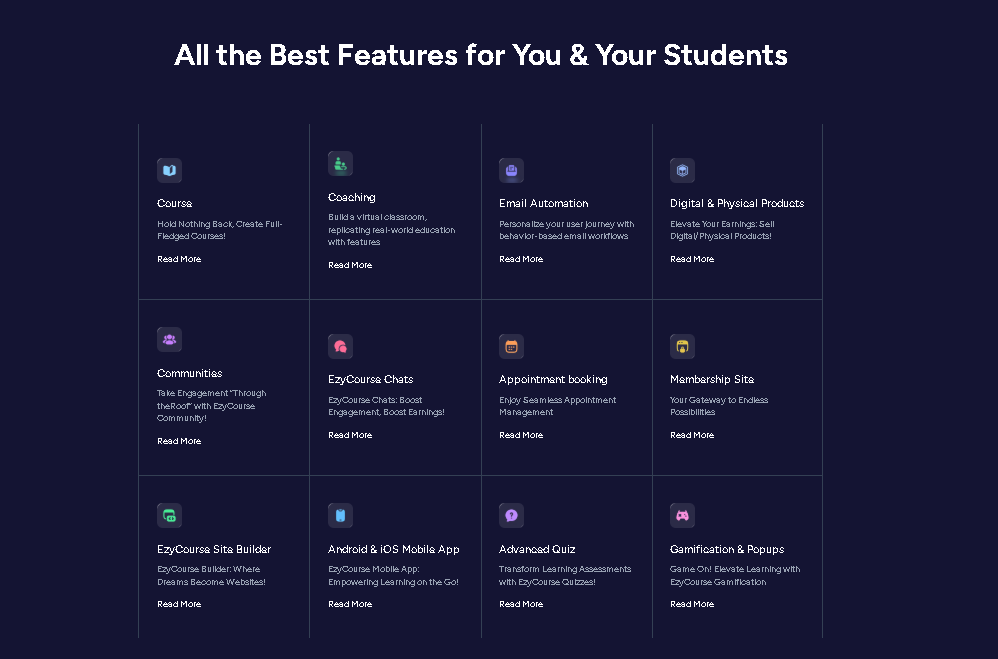
All-in-One Platform Advantage: As part of an all-in-one platform, EzyCourse blogs integrate seamlessly with other features like courses and memberships. This enables you to convert casual readers into paying customers for your products.
User-Friendly Editor: You have an easy-to-use editor, which makes writing blog posts a fun experience. You don’t even need to know any code, and it’s simple to switch fonts, colours, and layouts.
SEO Tools: Built-in SEO tools let you optimize meta titles, meta descriptions, and keywords. This helps you get more traffic to your site and boost your ranking.
Blog Import: You can import multiple blogs at once using a csv file. All you have to do is import the csv file from your dashboard, and the blogs will be ready to publish.
Media Ready: EzyCourse allows you to add media files, such as text, images, video, or audio, and embedded media types. This adds life to your blog posts.
Post and Schedule: You can write posts or schedule them on a specific date and time to publish automatically.
Autosave: EzyCourse autosaves all your work, so you won’t have to worry about losing anything. You can focus solely on the updating part.
Engagement Tools: You can comment and engage with readers on the community and chat functions. This helps you build stronger relationships with your growing audience.
Integrated Marketing: EzyCourse integrates with email marketing and automation software for promoting blog posts automatically. This makes it very simple to share content online and gain leads.
E-commerce: EzyCourse integrates the e-commerce features of blogs to enable you to create, publish, and monetize blog content on the platform.
Monetization Options: EzyCourse lets you sell individual premium blog posts or offer a blog membership for unlimited access. You can generate multiple income streams from all of your blog content.
Analytics: EzyCourse includes tools to track blog performance, visitors’ behavior, and how people use your blog.
Pros
Complete solution that consolidates blog with online courses, communities, and digital product sales in one dashboard
Built-in search engine optimization (SEO) features
User-friendly editor
Seamless multimedia integration
White-label email marketing and automation sequences
Multiple monetization options for selling individual blog posts, offering blog-specific memberships, or bundling blog access with courses and products
A strong sense of community and engagement
Mobile accessibility
Consistent blog post scheduling
Hassle-free maintenance to handle all the technical aspects like hosting, security, and updates
24/7 human support
Cons
No free plan available.
Pricing

EzyCourse offers 4 pricing plans.
1. Essential: $55/month (billed yearly)
2. Pro: $139/month (billed yearly)
3. Unlimited: $199/month (billed yearly)
4. Elite: $299/month (billed yearly)
*Pricings are subject to change anytime
2. EzyStudio: AI Website Builder

EzyStudio is a modern content and website platform built for creators, educators, and SaaS founders who want more control over their content publishing, managing, and scaling. While it supports full website building and app-ready experiences, its blogging system stands out.
At its core, EzyStudio offers a powerful built-in CMS that makes managing blogs feel structured. Basically, it feels like you’re managing a content system that can scale with multiple authors, tags, SEO layers, and publishing workflows.
The rich text editor is clean, responsive, and distraction-free. Writing feels natural, but you still get advanced controls when you need them. Moreover, you can insert code blocks for technical articles, embed media, and structure long-form content without struggling.
Content planning is another strong point. You can future-publish blog posts, manage drafts, and maintain a consistent publishing schedule without external tools.
From an SEO perspective, EzyStudio properly covers the fundamentals. You can manage meta titles, descriptions, URL structures, and on-page SEO elements directly inside the editor. In addition, blog tags help organize content logically and improve both discoverability and crawlability.
What makes EzyStudio different from traditional blogging platforms is how well blogging connects with the rest of your product ecosystem. Blogs are not isolated content pieces. It can support product launches, documentation hubs, marketing pages, and user education without any third-party systems.
Key Blogging Features
Rich Text Editor: Clean, fast, and intuitive editor designed for long-form writing
Code Blocks: Ideal for technical blogs, tutorials, and developer-focused content
Media Tools: Easily embed images, videos, and other media without layout breakage
Future Publishing: Schedule posts to go live automatically at a chosen time
Multiple Blog Authors: Support for team-based content creation
Blog Tags: Structure content for better navigation and SEO
Built-in CMS: Manage all blog content from a centralized system
SEO Tools: Control meta titles, descriptions, and on-page optimization
Scalable Content Structure: Suitable for blogs, documentation, and knowledge bases
Pros
Strong built-in CMS designed for structured content
Excellent editor for both written and technical blogs
No reliance on third-party plugins
Analytics & Advanced SEO Tools
AI-Powered Builder
E-Commerce Ready
White-label Mobile Apps
Agency & White-Label Solutions
Smart Multi-Layer Caching
Cons
No free plan
More powerful than needed for very casual bloggers
Pricing

EzyStudio currently offers early bird lifetime deals.
1. Basic: $199/lifetime
2. Pro: $449/lifetime
3. Elite: $1549/lifetime
4. Agency: $3190/lifetime
*Pricings are subject to change anytime
3. WordPress.org

WordPress.org is one of the best platforms for blogging. This is a free and open-source platform that lets you create your own self-hosted blog. You get complete control and full ownership over everything you build on it. There are plenty of themes and plugins for customizing your site.
But you’ll have to buy your own web hosting and domain name separately. You can also manage tasks technically, including updates and security. It’s perfect for serious bloggers who want flexibility, control, and the ability to grow their business long-term.
Key Features
Self-Hosted and Open-Source: WordPress.org is free software that you install on a web server you own or rent. This setup gives you complete control over your content and hosting choices. You can switch to a different host whenever you want without limitations.
Complete Control: You own your website and all its data. WordPress.org lets you monetize blogs in any way you choose.
Infinite Customization: You get unlimited customization and access to thousands of free and premium themes for design freedom.
Small to Huge Scale: It can scale along with your blog from a few thousand visitors per month to millions.
SEO-Friendly: WordPress.org is an optimal site for strong SEO. You can edit your blog posts to improve search ranking using plugins such as Yoast SEO or Rank Math.
Featured Community: Wide network of forums, tutorials, and information in its community, plus other helpful resources.
Pros
Easy for beginners to get started, with a user-friendly dashboard
Full content ownership
Limitless customization via themes and plugins
Strong SEO capabilities with SEO-friendly URL structures
Blog monetization through e-commerce, ads, and memberships
No platform lock-in
Cons
Requires self-hosting and maintenance
It has a technical learning curve if you want to add dynamic features to your blogging site
As a popular open-source platform, it can be a target for hackers
The sheer number of themes and plugins can be overwhelming for beginners
Pricing
Free to use, though you will need to pay for hosting and a domain name.
4. Wix

Wix is a robust blogging platform, based on a user-friendly interface and a drag-and-drop editor. It consistently ranks among the best blog sites for beginners. Exclusively because of its visual design tools and extensive template library. Thus, you can easily create and design your blog, no code required.
In addition, it comes with built-in blogging features like writing tools, editing options, and publishing capabilities.
You can start with a free plan and access to integrated SEO features. The platform also automatically generates mobile-friendly sites for you, which is very convenient.
But advanced bloggers may find the features to be quite basic for them. You also can't change your template later without rebuilding your entire site.
Key Features
Drag-and-Drop Editor: You can create and arrange blog content, images, and sections visually without code.
Custom Templates: Using a large library of templates and niche-specific template designs gives you a quick option to create a professional blog.
AI-powered Design: Wix uses AI to produce text, images, and layouts that assist with the initiation of design and content creation.
Built-in Blogging Platform: You can manage posts, plan future publications, and include categories and tags. Wix allows you to customize the layout to match your strategy.
Mobile Responsiveness: Wix automatically optimizes your blog posts to look great for all mobile devices, thus making them ideal for mobile users.
SEO Tools: You get tools to improve search engine visibility for your blog. Wix contains AI-generated meta tags and an assistant for SEO optimization.
Monetization Options: You can use Wix to convert your blog into a revenue source. You have options like displaying ads, offering paid subscriptions, or selling merchandise directly. You can also integrate a store and offer exclusive content to subscribers.
Pros
Drag-and-drop interface is simple for beginners to use, even with no prior experience
Huge selection of professional-looking templates across many categories to get started
Creative freedom to customize the design extensively
Includes multiple features through the App Market to add functionality to the blog
Custom CSS support in the Studio Editor
Helpful customer support
Cons
Limited control over SEO
Inability to switch templates without rebuilding
Higher costs for removing ads
App market limitations
Less flexibility
Pricing

Wix has 4 paid plans.
1. Light: $17/month
2. Core: $29/month
3. Business: $39/month
4. Business Elite: $159/month
*Pricings are subject to change anytime
5. Squarespace

Squarespace is a good blogging platform because it’s easy to use and has lots of integrated tools. You get professional templates that make your blog look beautiful. Without any coding, you can create and manage everything.
Squarespace is compatible with SEO tools and offers mobile-friendly designs to reach users more easily. It also offers post-scheduling features and monetization options via e-commerce and subscription-based services.
So, if you’re looking for a smart solution for pro-level website management and content creation, then you’re in good hands.
Key Features
Intuitive Editor: Squarespace’s drag-and-drop editor is easy to use and allows you to create and design blog content without coding.
Pro Templates: The most professional and mobile-responsive templates are available to customize your blogs.
Content Management: You can handle all of your content from a central dashboard. Squarespace provides unlimited posts, categories, tags, and multiple authors in a variety of ways.
Built-in SEO Tools: Squarespace features a powerful array of SEO tools, including custom URLs, meta descriptions, and image alt texts. In addition, access to connect with Google Search Console.
Monetization: You can sell products, offer subscriptions, or integrate with services like Google AdSense through e-commerce to make money.
AI Assistance: Squarespace AI tools provide a script to create blog content, outlines, SEO titles, and meta descriptions.
Pros
Intuitive interface and built-in tools
Beautiful design
Hosting, security (with free SSL certificates), and bandwidth are included
Built-in SEO features, email marketing, and social media integrations
Cons
More expensive than some competitors
Limited customization
Fewer third-party integrations
Less scalable
Pricing

Squarespace provides 4 different pricing plans.
1. Personal: $25/month
2. Business: $36/month
3. Commerce: $40/month
3. Commerce: $72/month
*Pricings are subject to change anytime
6. WordPress.com

WordPress.com is a hosted blogging platform that offers an integral solution for creating and managing your blogs. You get hosting, themes, and general security and performance features right away. The UI is so intuitive, and it would be especially helpful in the early stages of blogging if you have just started.
This is a commercial, hosted version of the open-source WordPress software you might know. So, your content can be published easily without technical challenges, such as domain registration or server management.
The WordPress.com platform is not self-hosted, but you have everything in one place. This is the easiest way to get your blog started early.
Key Features
Hosted Platform: WordPress.com handles the technical backend, such as hosting, so you can focus entirely on creating content and designing your blog.
Ease of Use: It is designed with new bloggers in mind and offers accessible tools. You get a user-friendly interface for creating and publishing posts effortlessly.
Built-in Tools: The list of built-in tools includes security monitoring, performance optimization, and anti-spam features by default. You can automatically share posts to social media through Jetpack integration.
Customization: You can customize the look of your blog using themes and can add functionality through a selection of plugins.
Monetization Options: Paid plans offer you tools to monetize your blogs, like collecting payments, displaying ads (WordAds), or offering paid content and newsletters.
Content Creation: WordPress.com simplifies adding text, images, and other media to your blog posts. You get a built-in text editor and post-scheduling features.
Differentiation from WordPress.org: WordPress.org is free, open-source software requiring you to manage your own hosting. But WordPress.com is a complete service that includes hosting and a domain in its paid plans.
Pros
Simple to get started and begin blogging quickly
Free plan with essential features, hosting, and a subdomain
Built-in hosting
Built-in SEO-friendly features and structures
Blogs are generally optimized to be viewable on mobile devices
Cons
Plugin limitations
Limited customization
Monetization restrictions
Limited storage with the free plan
Pricing

WordPress.com offers 5 premium plans along with a free plan.
1. Personal: $9 per month
2. Premium: $18 per month
3. Business: $40 per month
4. WooCommerce: $70 per month
5. VIP Enterprise: Starting at US$25,000 per year
*Pricings are subject to change anytime
7. Blogger

Blogger is a free and user-friendly blogging platform from Google for easy management. You can create and manage your blog effortlessly without any technical knowledge. It offers free hosting and a free subdomain like yourblog.blogspot.com for your site.
You also get Google AdSense integration, which lets you monetize your blog effectively. Blogger includes a simple dashboard for content creation and customization, various free templates, and basic analytics.
Although it has limitations in advanced customization, e-commerce functionality, and complex features compared to others.
Key Features
Free and Accessible: Blogger is completely free to use. You don't need to pay for hosting a blog or a basic domain name.
Easy to Use: The interface is designed for beginners, with a dashboard for managing posts, themes, and settings. Content creation is similar to working in a Google Doc.
Google Integration: As a Google product, Blogger includes easy integration with services like Google AdSense for monetization and a free SSL certificate.
Customization: You can customize the appearance through a selection of themes and a theme editor to change colors, fonts, and layouts. You can also add custom HTML and CSS.
Monetization: You can connect to Google AdSense to earn money from your blog.
Analytics: Basic analytics are provided in your dashboard, and you can connect a Google Analytics ID for more detailed insights.
Custom Domain: While Blogger provides a free subdomain, you have the option to connect a custom domain name you purchase separately.
Multiple Blogs: You can use a single Google account to create and manage up to 100 blogs.
Pros
Free hosting and account-backed storage from Google
Simple and user-friendly
Integrations with other Google services
Option to connect a custom domain name to the blog
Google handles the security
Enough control over on-page SEO elements to attract traffic
Cons
Restricted design options
Not ideal for large, income-generating websites
Basic functionalities
Advanced SEO limitations
Extra features or functionality cannot be added to the blog, as there are no plugins
Pricing
Blogger is a free-to-use blogging platform.
8. Medium

Medium is a popular blogging platform for both aspiring and established writers everywhere. It's known for its simple and ad-free interface with a built-in audience.
It functions like a social network where writers connect with readers through articles. You can use engagement tools like claps and comments to interact with your audience.
You can earn money via the Partner Program based on how much time paying members spend reading your blog stories.
Medium offers significant advantages like ease of use and built-in traffic. The downside is limited customization and no control over the platform's algorithm or changes.
Key Features
Simple and Clean Interface: Medium offers a minimalist editor that focuses purely on writing and simplicity. You won't face overwhelming technical or design complexities while creating content.
Built-in Audience and Distribution: Your content gets automatically exposed to Medium’s large existing user base. Thus, you get increased discoverability without extra promotional effort.
Community and Engagement: It fosters community through comments, highlights, and claps for reader interaction. You can connect with readers and other writers through these features.
Monetization Program: You can earn money through the Medium Partner Program based on engagement. It calculates earnings from reading time and interactions from paid subscribers.
Publications: Medium allows you to publish articles to curated collections called Publications for a broader reach. Medium Publications provides a built-in audience and collaboration opportunities with writers.
SEO and Technical Management: A significant portion of behind-the-scenes SEO work is handled by Medium. So, you can focus on creating content while Medium manages technical and design maintenance.
Analytics: Medium provides built-in analytics to help you track your blog's performance and understand reader engagement.
Pros
Built-in, massive readership
Free and simple to set up and use
Handles Technical SEO
Focus on content
High domain authority to improve the search engine ranking
Quality content discovery
Easy to republish content from the personal blog
Cons
Limited branding and customization
Lack of control over monetization
Limited control over the audience
While Medium does help with distribution, because of high competition, oversaturated topics may get lost.
Must be a paying Medium member yourself to be eligible for MPP. The writer must pay $5/month (or $50/year) to “unlock” earnings.
Pricing
It’s free to sign up, write, and publish on Medium. However, to earn money and fully access the platform's features (like creating publications), you need a paid membership, which costs around $5/month or $50/year.
9. Substack

Substack is a publishing platform that combines the functionalities of a blog and newsletter service. You can publish content like posts, podcasts, and videos for your audience easily. Your content gets delivered to subscribers via email or through a dedicated mobile app.
Moreover, Substack is a powerful tool for building an engaged audience over time. You get monetization options through free or paid subscriptions with a built-in system for collecting payments. All in all, the platform includes a user-friendly editor, community-building tools, and analytics to track your growth.
Key Features
Hybrid Publishing: Substack functions as a blog where all posts remain archived and accessible. Your content also goes directly to subscribers' inboxes as a newsletter.
Monetization: Offer free blog content or charge for premium subscriptions on Substack. Substack handles payment processing and takes a percentage of your paid subscriptions.
Content Flexibility: Substack supports various content formats beyond text, including podcasts and videos.
Audience Building: Build audiences through Substack's internal discovery features and recommendations. Substack also allows you to promote your publication on other social platforms.
User-Friendly Interface: Substack offers a straightforward editor with simple formatting options for easy use. You get specialized blocks for interactive elements like polls and engagement tools.
Community Interaction: You’ll get access to community engagement features like comments, chat, and recommendations to foster reader connections. You can build direct relationships with your audience through these tools.
Analytics: It provides tools to track reader engagement and measure content performance effectively.
Portability: You can easily export your subscriber list and content if you decide to leave the platform.
Pros
Simple and intuitive interface
Built-in monetization options
Direct delivery of content to subscribers' inboxes
Community-building features like discussion threads
Free to start
Cons
Less control over the design and branding
Data and integration limitations
Lack of ownership
Doesn't have a large built-in discovery engine, making it harder to attract new readers
Pricing
Starting a blog on Substack is free, but monetizing it through paid subscriptions has costs. Substack takes a 10% commission on all paid subscriber revenue.
10. Ghost

Ghost is an open-source blogging platform. It focuses on simplicity, performance, and monetization through built-in newsletter and membership features.
Ghost provides a clean, user-friendly interface with features like a live-preview editor and professional themes. This makes it suitable for both beginners and experienced content creators. You can self-host the platform or use the hosted service for a complete solution with native analytics and email marketing capabilities.
Key Features
Clean Interface: Ghost offers a clean and intuitive interface focused on writing and publishing. You get a seamless experience similar to familiar platforms like WordPress.
Performance: It is built on Node.js technology for high performance and speed.
Modern Editor: Ghost uses a Markdown editor with live-preview displayed side-by-side for convenience. This shows you exactly how your blog post will look as you write it.
Monetization: You get built-in tools for earning through subscriptions and premium content offerings. You can keep more revenue with 0% transaction fees.
Newsletter Integration: Ghost offers built-in email newsletter features, allowing you to send posts directly to your subscribers.
SEO Optimization: Blog posts are automatically SEO-optimized, but require human input for meta titles and descriptions.
Native Analytics: Ghost includes native analytics to help you understand audience engagement and what content is performing well.
Membership Management: You can manage members, see who is paying, and understand what they are reading directly through the platform's dashboard.
Pros
Clean and fast performance
Built-in monetization
SEO-friendly
Uses a modern technology stack
Focus on publishing
Cons
Limited e-commerce
Steeper learning curve for design
Limited support for free/lower tiers
Pricing

Ghost features 4 upgraded plans you can choose from.
1. Starter: $18/month
2. Publisher: $35/month
3. Business: $239/month
4. Custom Pricing
*Pricings are subject to change anytime
11. Hostinger Website Builder

Hostinger Website Builder is a highly beginner-friendly and affordable platform that's perfect for blogging needs. You get a choice between its proprietary AI-powered website builder and robust managed WordPress hosting.
It's best suited for new bloggers and small businesses starting their online journey. You'll love it if you prioritize ease of use and cost-effectiveness over advanced customization.
Key Features
Ease of Use: Hostinger's custom control panel, hPanel, is designed to be intuitive and user-friendly. You can set up and manage your blog easily without technical expertise.
AI Tools: It integrates AI tools to streamline your blogging process and content creation. You get an AI Website Builder that can generate a site layout from a simple description. You also get an AI Writer for blog generation and an AI SEO Assistant.
Performance: Hostinger uses LiteSpeed web servers, built-in caching, and global data centers. You get fast loading times and reliable uptime for better rankings.
Affordability: All the Hostinger plans are competitively priced and include a free domain for one year. The plans also include a free SSL certificate and business email for value.
WordPress Integration: As a WordPress.org-recommended host, Hostinger offers managed WordPress hosting with convenience. You get one-click installation, automatic updates, and a staging environment.
Customer Support: Hostinger provides 24/7 live chat support for immediate assistance whenever needed. You can also use Kodee, an AI assistant, for troubleshooting and general inquiries.
Pros
Low-cost hosting plans for new bloggers
Beginner-friendly interface with drag-and-drop controls and a simplified setup process
Excellent performance & speed
Strong essential features
AI-enhanced features for building blogs
Reliable uptime
Cons
Fewer design templates and less flexibility
No built-in email marketing or advanced third-party integrations
Limited scalability for large projects
Higher renewal prices
No phone support
Pricing

There are 2 paid plans available to access the Hostinger website builder.
1. Premium Website Builder: $11.99/month
2. Business Website Builder: $13.99/month
*Pricings are subject to change anytime
Which Platform Fits You Best?
#For all-in-one solutions:
If your main goal is selling courses, memberships, or digital products alongside blogging, choose EzyCourse. It is a good fit if you want an all-in-one platform. EzyCourse integrates course creation, email marketing, community building, and sales tools with your blog.
Therefore, you won't need separate blogging platforms like WordPress or Ghost for different functions.
#For maximum control and long-term business potential:
Choose WordPress.org if you want unparalleled flexibility through thousands of plugins and theme options available. It offers excellent SEO capabilities and gives you complete ownership of all your content.
However, be ready to deal with a learning curve as you'll need to manage your hosting. Many hosting providers like Hostinger and Bluehost offer easy, one-click WordPress installations to help you.
#For beginners and ease of use:
Wix or Blogger are excellent starting points if you're just beginning your blogging journey. Wix gives you a user-friendly drag-and-drop interface with professional templates for a polished site without coding.
On the other hand, Blogger is completely free, reliable, and owned by Google for casual low-stakes blogging needs.
#For writers who want an instant audience:
Pick Medium if you want a built-in reader base and simple editor features. This way, you can focus purely on writing. And the platform will distribute your content to engaged readers immediately.
However, you'll have less control over branding and monetization compared to other platform options.
#For visual content and professional design:
Squarespace is well-known for its stunning image-focused templates and complete hosted solution package. It's ideal for artists and photographers who want a beautiful, low-maintenance blog site.
In addition, your portfolio will look professional without requiring constant technical tweaks or design adjustments.
#For building a paid community or newsletter:
Substack and Ghost excel in subscription and membership features tailored for content creators like you. They streamline the entire blog monetization process through direct subscriber payments efficiently.
Final Words
Choosing the best platforms for blogging should match what you want to achieve and how you plan to grow.
Therefore, keep your budget in mind and note each platform's limitations before making your final choice. The right platform will help you create engaging blog content while connecting with your ideal readers.
Want to start blogging the easiest way possible with powerful integrated features? Look no further than signing up with Ezycourse now.

FAQs
Which blogging platforms work best for beginners?
WordPress.org, EzyCourse, and Wix work best for beginners.
EzyCourse provides helpful guides and simple tools for launching your blog quickly.
WordPress.org delivers powerful customization features and thousands of themes for creative freedom.
Wix offers drag-and-drop design tools that make building attractive blogs incredibly simple.
What should a blogger know before starting a blog?
Here are some important things a blogger should know before starting a blog:
1. Choose a topic area that doesn't have too much competition
2. Pick a domain name that works well with search engines
3. Select a design that fits your blog's topic
4. Set up a good robots.txt file
5. Make your blog look clean and professional
6. Finish all the basic setup steps and post a few articles before you add your site to Google Search Console (Source)
Which platforms offer superior search engine optimization (SEO) capabilities?
EzyCourse and WordPress.org are great for customizable search optimization features and capabilities. EzyCourse provides built-in optimization tools that help your content rank higher in searches.
WordPress.org supports numerous plugins that enhance your site's visibility across search engines effectively.
What free blogging options are available for content creators?
Blogger, WordPress.org, and Medium all offer free blog publishing opportunities. You can start writing and sharing content immediately without spending any money up front.
However, premium plans unlock better customization tools, earning potential, and professional domain names.
Is purchasing a paid plan necessary to begin my first blog?
Absolutely not! Many successful content creators launch their blogs using free plans and upgrade later. But a paid plan investment becomes worthwhile when you're committed to building brand recognition and professional credibility.
Which platform maximizes earning potential for blog content?
EzyCourse maximizes earning potential for blog content. It provides diverse monetization tools, including blog content, courses, memberships, and digital product sales. EzyCourse positions itself as an "all-in-one" solution with over 20 revenue streams, including specific features for blogs.


