Starting an online school is no more a big deal if you can take smart action.
There are platforms that help you build and grow an entire online school very fast. You can turn your school into a profitable business.
But how to start an online school in 2026? What makes one person trust, enroll in, and recommend your digital classroom?
In this blog, we’ll guide you through the step-by-step approach, smart tools, and mindset needed.
So, if you're ready to teach the world, this is your road map.
Let's get it done!
What Is an Online School?

An online school is a digital learning platform where students attend classes, complete assignments, and interact with teachers online. It allows flexible learning from any location and offers video lessons, live sessions, quizzes, and certification.
An online, virtual, e-school, or cyber-school offers everything from lectures to assignments to exams. There are online schools for every level, from primary school to higher education.
Students join classes through their laptops or tablets or mobile phones from anywhere they want. In some lessons, everyone joins simultaneously (just like in Zoom meetings), while in others, it's a pre-recorded lesson that students can take at their own pace.
How to Start an Online School in 2026 (Step-by-Step Guide)
Let’s walk through every step of building your own online school from scratch, with all the details you might need.
Step 1: Clarify Your Vision, Audience & Teaching Style
Every successful online school starts with a strong why. What are you trying to build, and who are you building it for? So, you should be aware of your vision.
Being someone who loves to teach and having some sort of expertise, you are going to teach a specific skill. However, your target audience matters a lot. Ask yourself:
Do I want to help children (K–12), teenagers preparing for college, or adults upgrading their careers?
Will the learning be live and interactive, or on-demand and self-paced?
Understanding your audience is crucial. Then you can customize your teaching style accordingly.
For instance, if you're targeting working professionals, they might prefer short, focused modules they can take at their own pace. On the other hand, if you're teaching kids, live, engaging sessions with visuals and games may be better.
So, defining your vision early keeps your messaging clear and your platform focused as you grow.
Step 2: Research the Market and Understand the Competition
You may have a brilliant idea, but does the market want it? This is where solid market research comes in.
Study similar platforms and courses. Take note of:
What they do well (design, content, pricing)
Where they fall short (poor support, outdated content, lack of community)
What learners are saying in reviews or comments
These insights help you refine your offering and find your edge. Don’t just take a look into the market. Go in-depth. Research thoroughly.
Step 3: Create a Lean but Actionable Business Plan
Now that you’ve got your vision and research done, it’s time to make things official with a business plan. Don't worry, you don’t need a 50-page document. But you do need to map out the essentials:
What’s your income model? Will you charge per course, monthly, or annually?
How many students do you need to break even?
What are your startup and monthly expenses? (Think about LMS platforms’ subscriptions, website hosting, and marketing costs)
Who’s helping you? Will you be a solo instructor, or hire more educators later?
Also, define your unique selling point. What makes your school different from other options out there? This business plan is your north star. It will help you stay on track when things get overwhelming.
Step 4: Take Care of the Legal & Administrative Stuff
Before you accept a single student, make sure your legal house is in order. Register your online school as a legal business. Depending on your country, this could be a sole proprietorship, an LLC, or a private limited company.
Also, think about:
A clear privacy policy to protect your students’ data
Terms and conditions that outline refund rules, usage rights, and conduct
Trademarking your school name and logo, if you want to protect your brand
And if you’re planning to issue diplomas or certifications, you might need to look into accreditation.
If your target audience is students, professionals, or parents seeking recognized learning paths, legal and administrative stuffs can be significant for you.
Step 5: Pick the Right Tools and Platforms
This step is the most important one here. You need an online learning management system (LMS) to run your online school. This is where your courses live, students sign up, lessons are delivered, and progress is tracked.
However, there are plenty of LMS platforms available out there. Choosing the right platform can be tricky. You can go for platforms that offer:
Course features
Coaching tools
Community building options
Membership mangement features
Easy student management
Native marketing features
Easy website creation
If you want all these features in one platform, then you should go for one of the smartest online teaching platforms, EzyCourse.
It’s an all-in-one LMS that lets you do everything: upload videos, take payments, host live sessions, manage your students, track analytics, and even automate your marketing. It’s perfect for beginners and pros alike.
In addition to an LMS, you'll also need tools for:
Video conferencing
Email marketing
Payment processing
Interestingly, if you use EzyCourse, you won’t need to use these platform from outside. The platform has native Zoom premium integration where you can host 300 attendees together. Plus, EzyCourse comes with native email marketing tools. So, you won’t need to use any third party email software. Plus, the platform lets you easily connect with any payment platform.
Choose the platform that match your current size but can grow with you. Avoid overpaying early on.
Step 6: Build Your Curriculum and Content
Actually, here’s where your school takes shape. You’ll need to build actual learning paths from basic modules to advanced levels.
Design your curriculum around clear outcomes. Each lesson should answer the question: “What will the student be able to do after this?”
Content formats to include:
Video lessons (try to keep your lessons engaging and short, 5–10 minutes per topic)
Downloadable PDFs and slides
Quizzes and assignments
Group discussions or peer reviews
Bonus materials like templates, checklists, or recorded Q&As
You can record videos with tools like Loom or OBS, and edit with Descript or Camtasia. Then upload your videos into the platform you use. The best schools mix education with entertainment. Keep things dynamic, not just lecture-style. Use animations, real-life examples, and stories from your own journey.
Step 7: Design a High-Converting Website and Landing Pages
Your website is your online campus. It must look professional, work on mobile, and be easy to navigate.
Make sure it includes:
A strong homepage that explains what you do and who it's for
Course catalog with clear pricing and features
About page with your story, credentials, and mission
Testimonials or student reviews
A contact form and an FAQ section
If you’re using EzyCourse, it comes with beautiful pre-built themes you can customize. You can pick any of the pre-made templates and then edit as you want.
Note: Remember to apply SEO best practices, so people can find your school via Google. Start a blog or publish helpful articles related to your course topics.
Step 8: Focus on Student Experience and Community
Don’t make online learning lonely. What makes your school memorable is the experience you provide.Make onboarding simple. When someone enrolls, send a welcome email with login info, course instructions, and what to expect next.
Offer ongoing support through:
Live office hours
Email Q&A
Private Facebook or Slack groups (but if you use EzyCourse, you’ve got better option. You can build your own Facebook-like community inside your website)
Personalized feedback on assignments
Celebrate student wins. Highlight progress, give badges or certificates, and create a culture where people feel part of something bigger than themselves.
Step 9: Launch, Promote, and Grow
When your school is ready, don’t just quietly open the doors; launch it with confidence. Start with a soft launch or beta program. Let 10–20 people test your courses, and use their feedback to improve. Then, go public.
Promote your school through:
Email campaigns
Social media posts and short videos
Free webinars or challenges
Blog posts optimized for search
Paid ads on Google, Facebook, or YouTube
Offer discounts or bonuses for early sign-ups. Create urgency with limited-time offers. Most importantly, listen to your students. Track engagement, ask for feedback, and improve constantly. Your first version won’t be perfect, but it will give you a solid foundation to build on.
Let’s now explore what are the best platforms to start an online school.
What Are the Best Platforms to Start An Online School?
Yes, several platforms let you start your own online school easily. You can create courses, manage students, collect payments, and even build a branded website or app with these platforms.
Listed below are three of the most effective online school platforms to start an online school:
1. EzyCourse
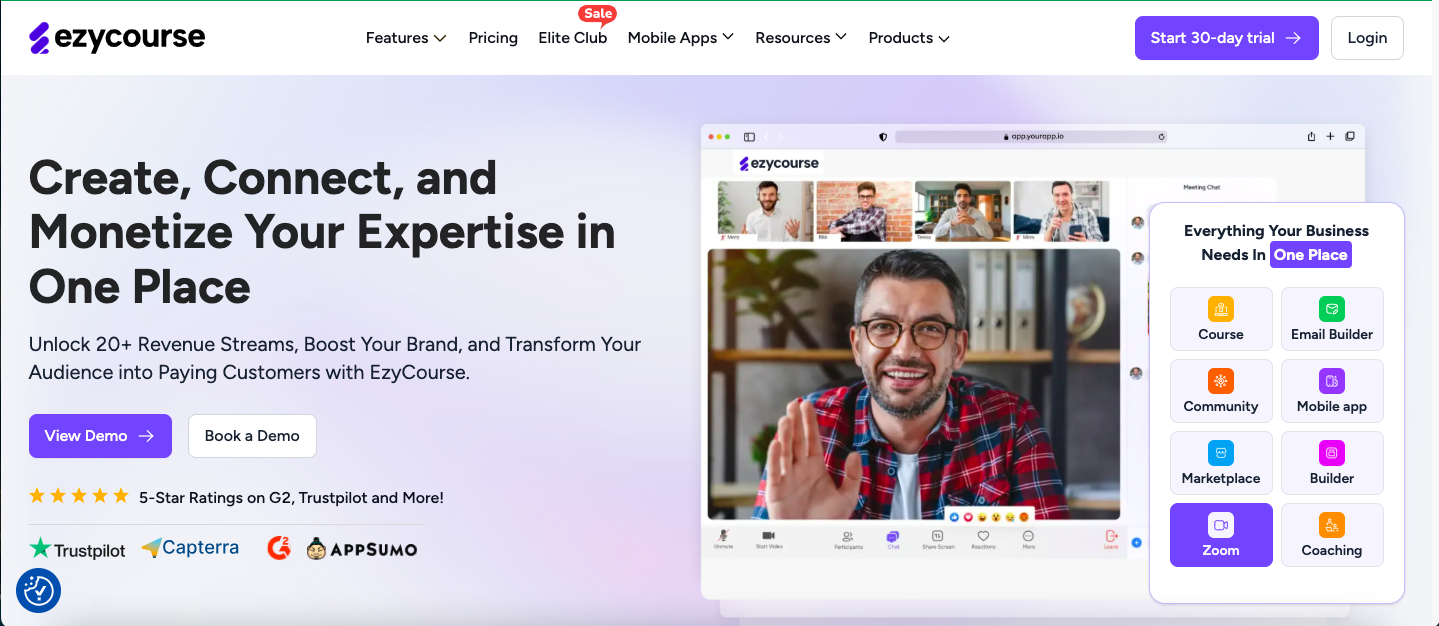
What You Get with EzyCourse
Create courses with 13 lesson types, including video, text, quizzes, SCORM, and more.
Coaching features to run 1:1 or group coaching.
Release content over time to keep learners engaged.
Award completion certificates to your students.
Add points, badges, and leaderboards to motivate learners.
Build Facebook-like communities with group chats and channels.
Send automated emails and newsletters directly from the platform.
Design your website using a drag-and-drop builder with 250+ templates.
Automation workflow builder to automate emails.
Offer learning on the go with branded Android and iOS apps.
Sell digital and physical products with various payment options.
Track student progress and course performance with detailed reports.
EzyCourse simplifies the process of creating and selling online courses. With its intuitive interface, you can build courses using various content types like videos, PDFs, and quizzes.
The platform supports drip scheduling, allowing you to release content over time. Engage your audience with gamification features and build communities for better interaction.
The built-in email marketing tools help you stay connected with your learners. Design your website effortlessly using the drag-and-drop builder, and offer mobile learning through branded apps.
EzyCourse also enables you to sell both digital and physical products, providing multiple revenue streams. With comprehensive analytics, you can monitor student progress and make data-driven decisions.
Who It’s Best For
Online course creators
Coaches and consultants
Entrepreneurs selling digital products
Educators building membership sites
Businesses offering training programs
EzyCourse Pricing Overview

Pricing is subject to change at any time*
EzyCourse offers several pricing plans to suit different needs:
Essential: $59/month – Ideal for personal creators. Includes unlimited courses, custom pages, and basic community features.
Pro: $139/month – Designed for professional creators. Adds advanced analytics, gamification, and more community options.
Unlimited: $199/month – Offers unlimited access to all features, including VIP support and unlimited communities.
Elite: $299/month – Best for businesses. Includes all current and future add-ons, white-label apps, and dedicated support.
Is It Perfect for You?
If you're looking for a comprehensive platform to create, market, and sell online courses and digital products, EzyCourse could be the right choice.
Its user-friendly tools, combined with robust features like community building and email marketing, make it suitable for both beginners and experienced creators.
The various pricing plans offer flexibility, allowing you to choose one that fits your needs and budget.
Good Things About It
User-friendly interface
All-in-one platform
Comprehensive course creation tools
Built-in email marketing
Community engagement features
White-label mobile app
Detailed analytics
Affordable pricing plans
Responsive customer support
Downsides
No free plan, but EzyCourse offers a 30-day free trial.
👉 Start Your Online School Now!
2. Udemy

What You’ll Get in Udemy
Simple instructor onboarding
Marketing promotions and Coupon tool
Marketplace Insights tool
Revenue share mode
Udemy is the biggest online course marketplace. Students engage there to learn skills like coding, marketing, yoga, or drawing. And teachers engage there to host and sell their courses.
It offers its users an opportunity to design and market their courses while the students can have quality and economical education in more than 75 languages. However, Udemy is not your standalone online learning management system like EzyCourse. It doesn’t give you control over your course pricing, website or student management.
And lately, Udemy is being hugely criticized for decreasing revenue share structure. See why Udemy creators are frustrated.
Who It’s Best For
Teacher, coaches who don’t mind sharing revenue
Small business teams
Udemy Pricing for Instructors

Free enrollment for course instructors
Udemy takes a 3% share of sales from coupons or referral links
For other sales, Udemy takes a substantial 80% share of the revenue.*
👉 Start Your Online School Now!
Good Things About It
Access to numbers of students
Helpful knowledge base
No upfront costs
Great SEO support
Teaching Center provides valuable resources
Downsides
No control over course pricing
Higher competition due to the large number of courses
Less flexibility in course marketing
Takes cut of your revenue
3. Coursera

What You'll Get in Coursera
Teaching portal for teachers
Track progress to track student course progress, grades, and completion
In-app tests and expert assistance
If you're a college professor or a senior professional, Coursera offers a dedicated teaching portal for teachers to host and sell online courses. The online course marketplace lets students enroll in courses with authentic accreditations with college degrees. As there is a range of excellent free and premium courses on Coursera, the competition is higher.
Once accepted as a Coursera instructor, you'll gain access to a teaching portal. The portal provides content creation assistance and training resources.
Who It’s Best For
Course creators who don’t have any budget to start
Creators who don’t mind sharing revenue
Coursera Pricing for Instructors:
The common revenue share structure for individual courses:
Revenue Split:
Coursera: 50%
Instructor/Institution: 50%
Notes: The share is based on net revenue after refunds and payment processing fees.
Instructors are usually compensated by their university or institution under internal agreements — Coursera pays the institution, not individual teachers directly.
Good Things About It
Rewards for the popular course instructors
Professional growth opportunity as an instructor
Track progress easily
Access an active community
Big marketplace to create and sell online courses
Downsides
A complex pricing structure
Takes your revenue share
There is less student and teacher interaction than other course platforms
Higher competition to sell courses
Which Platform is Best for Starting an Online School?
There are several platforms for creating your own online school, where you can sell courses, coaching, memberships, and more.
But considering all the aspects, EzyCourse appears to be the best all-in-one platform. This platform lets you manage your entire online school, website, courses, community, coaching, payments, and email marketing. It’s easy to use, powerful, and built to grow with you.
Here’s why smart creators choose EzyCourse:
Own Your Brand – Launch a fully branded online school (with your own domain, colors, and style). No “hosted by” labels.
All-in-One Ecosystem – Website builder, course platform, email marketing, funnels, communities, no need for extra tools.
Monetize Your Way – Sell courses, memberships, digital products, webinars, coaching, and more, all from one dashboard.
Zero Tech Stress – Simple drag-and-drop editor. No tech hassle.
Smart Sales Tools – Built-in checkout, upsells, email campaigns, and sales funnels to grow fast.
Community-Driven – Create private or paid groups to build deeper learner engagement.
Fast Launch – You can be up and selling in a day.
Creator-First Pricing – Way more affordable than other LMS platforms like Kajabi, Teachable, or Thinkific.
World-Class 24/7 Dedicated Support – Fast, friendly, and ready to help you scale.
👉 Start Your Online School Now!
How to Start an Online School with EzyCourse (Step-by-Step)
Below is a comprehensive, step-by-step process to create your online school from scratch with EzyCourse.
Step 1: Sign Up and Set Up Your School
What to do:
Visit EzyCourse.com. Click on the ‘Get 1 Month Free’ button.

You’ll get the signup form.

Sign up using your email
Fill up the form with your card details
Choose a school name
Complete your profile and choose a domain. (You can later connect with your domain)
Step 2: Create Your First Course
Entering into the dashboard. You’ll get an interface like this:

Start a Course
Navigate to your dashboard
Click: Courses → All Courses → Add Course
Under the Courses tab. Click on the All Courses sub tab. Then click on the ‘Add Course' button.

Choose Course Type
Single Course: One complete program (e.g., “Python for Beginners”)
Bundled Course: A set of multiple related courses (e.g., “Digital Marketing Mastery Bundle”)
Fill in Course Details


Description: Use the rich text editor to format:
Who it's for
What students will learn
Any prerequisites
Include links, images, and videos
Thumbnail: Add a clear, relevant image or video teaser
Course Visibility Options:
Public (open to all)
Private (requires approval)
Hidden (only via direct link)
Restricted (visible but not available to enroll)
Step 3: Build Your Course Curriculum
Go to the Curriculum tab of your course.
Click "Create New Chapter" and give it a name.

Inside the chapter, fill the details. Then, click on the save button.

.
Click on the "Create New Lesson".

EzyCourse supports 13 lesson types:

Video
Text
Audio
PowerPoint (PPT)
Quiz
Assignment
Downloadable Files
Survey
Zoom Live Classes
SCORM/HTML
Embedded Links
Multiple Types in one lesson
Choose any of the lesson types and proceed. You may choose video lesson and add a video there.

Once updated. You can see the update by clicking on course preview button:

Here’s the course preview so far:

Pro Tips:
Use drip scheduling to release lessons gradually.
Add motivational popups to encourage progress.
Include free previews to attract new learners.
Step 4: Check All Settings For Your Course
On the settings tab, you can see the settings like:
Basic information
Advanced information
Landing page
After checkout page
Certificate
Course accessibility
Motivation popup
Grade settings
Redirect to checkout page

You can explore all these and set up according to your requirements.
Here you can find landing page settings:

You can choose layout and a landing page URL will be visibile automatically there. However, if you want to create custom page, EzyCourse offers a powerful Website Builder with drag-and-drop tools. To do this, you have to:
Access the Builder:
Go to Website Builder from your dashboard
Create page and add details
Choose a Template:
Select from 250+ pre-designed templates
Or build from scratch using blocks
Customize Branding:
Upload your logo and favicon
Set brand colors and fonts
What’s more, you can drip schedule your courses in three different way:
Immediately
This lesson is made available on course enrollment.
Enrollment based
This lesson will be available specific days after course enrollment.
Specific date
This lesson will be available on a specific date.

Step 5: Set Up Payment & Pricing
Integrate Payment Gateways:
Available options: Stripe, PayPal, Razorpay, Paystack, manual payment
Go to Settings → Payments to connect accounts
Set Course Pricing:
From the pricing tab, you can choose any pricing structure you want:

Split Payment Plan:
Pay a $200 course in 4 monthly installments of $50.Subscription Plan (Standard):
$10/month for a single course, billed monthly.One-Time Purchase:
Pay once (e.g., $25 per course) for lifetime access.
One-Time Plan (Tiered):
Basic $50, Pro $100, Ultimate $150 — one-time payment.Subscription Plan (Tiered):
Starter $15/month, Pro $30/month, Elite $60/month.One-Time Plan – Flat Price (Tiered):
Pay $99 or $149 once for different course levels.Subscription Plan – Flat Price (Tiered):
$19/month for one course or $49/month for all courses.Donation Plan (One Time):
One-time donation (e.g., $10 or $25).Donation Plan (Recurring):
Monthly donation (e.g., $5/month) to support new content.
Step 6: Preview, Publish & Launch
Once you are done with the edits and updates in your course, just preview your course from the dashboard. Then as your course was published, you can go back to your dashboard, and view the course.

Here’s how it looks like in the website:

Step 7: Promote Your School:
You can build the best online school in the world. But if no one knows about it, it won’t grow.
Promotion is where your school turns from a project into a thriving brand.
Create a content marketing plan that builds authority and attracts organic traffic. With EzyCourse’s built-in blog tools, you can publish SEO-optimized blog posts, For instance, if your school teaches business strategy, post content like “How to Create a Profitable Online Business Model” or “Top 5 Mistakes New Entrepreneurs Make.” These valuable insights position you as an expert while naturally leading readers toward your school.
You can also use EzyCourse’s built-in marketing tools to make promotion easier and more effective. Run email campaigns to nurture potential students with personalized messages, course updates, and limited-time offers. Activate the affiliate system to let others promote your courses and earn commissions. This way, you will be able to turn your students and community members into active marketers. EzyCourse also offers other powerful marketing features like coupons, landing pages, and analytics that help you convert leads into paying students.
👉 Start Your Online School Now!
Last Note
Starting an online school in 2026 is easier than ever. With the right tools and a clear plan, you can share your knowledge, reach students globally, and build a thriving education business.
Even if you're just starting, every step is manageable, from choosing your niche to creating courses to marketing.
However, many platforms exist, but if you want an all-in-one solution that's simple, powerful, and built for growth, EzyCourse is a smart choice.
It offers everything from course creation to community building to memberships to email marketing, and even your branded mobile app.
So, start your online school today with EzyCourse now with a 30-day free trial.