
Creating and selling online courses can be tough without the right platform. Klasio has recently entered the market as a user-friendly solution for tutors, coaches, and course creators.
Klasio is basically a platform that lets you make and sell course content with an AI assistant. This platform also offers basic tools like video lesson uploads, quizzes, 1:1 coaching, and digital product selling.
On the surface, it works for beginner-level course creators. However, if you dive deeper, this platform has limited potential for more advanced features.
To cover everything about this platform, we’ll take you through this guide to share its in-depth Klasio reviews, features, benefits, drawbacks, alternatives, and so on. Let’s begin!
What is Klasio? (Detailed review)

Klasio is an online course creation platform for teachers, coaches, creators, educators, and so on. It is also made to help anyone create and sell courses without much technical hassle.
Being an online educator, this platform lets you create eLearning courses. Plus, there is an AI-powered course planner to plan ahead. Yet, AI assistance is very basic. Besides, you can add videos, quizzes, PDF resources, and other learning materials to complete your course.
In addition, there are some ready-made website templates to publish your website.
Moreover, Klasio allows you to sell digital products like ebooks, guides, templates, and more. Also, this platform integrates with popular video conferencing platforms like Zoom and Google Meet.
At a glance, this all-in-one approach seems ideal. But in practice, Klasio often feels like a minimal version of what serious course creators actually need.
Let’s explore all Klasio features now.
Key Features of the Klasio Platform

Klasio comes with a few basic course creation features for educators to create courses. Here’s a detailed Klasio review with the main features:
1. Create online courses
The platform lets you create courses with both manual tools and AI. With this, you can get these:

Go live from day one: It lets you launch instantly with live lessons. Plus, you won’t need to pre-record any content.
AI-powered course outlines: This platform allows you to make course structures, lessons, and outlines with an AI assistant.
Full content ownership: You can fully control your content, access, and monetization with this.
No-code builder: It lets you design professional courses easily with cool templates that need no coding.
All-in-one teaching tools: You’ll find tons of tools like quizzes, assignments, live sessions, resources, and so on.
However, Klasio pricing plans have tons of benefits for course creation. For instance, you’ll get:
Free plan: 1 course and 50 students.
Starter plan: 25 courses, 2,500 students, and 10 instructors.
Growth plan: 250 courses, 10,000 students, and 25 instructors.
Business plan: Unlimited courses, instructors, and 20,000 students.
Enterprise plan: Unlimited courses, instructors, and students.
2. Sell digital downloads
With this platform, you can also easily expand your business by selling digital products directly from your platform. Whether you want to sell eBooks, worksheets, templates, or video resources, the AI assistant makes the process quick and simple. Note that you can’t access the AI assistant in the free plan.

Plus, your students who buy the digital products also get instant access to their downloads. Plus, you can choose to offer:
Free resources as a bonus to attract new learners.
Sell premium content to generate extra income.
You can also upload multiple file types like PDFs, videos, images, and more, so you’re not limited in what you can share. One thing to note is that you can only add a one-time pricing option. No subscription or any other pricing model is available.
Apart from these, you’ll get 25+ digital downloads in the Starter Plan and 250 on the Growth Plan. Plus, it’s unlimited on higher pricing tiers.
3. Host webinars

You can easily make a webinar to charge your students or select groups to monetize.
To make it happen, it offers you a charge-per-attendee option with a payment gateway and registration pages. Thanks to this, you won’t need third-party tools.
Plus, it lets you connect with your learners via Zoom to just chat, grant access, use polls, and Q&As. Besides, you can record the session and save it to replay the live event.
Plus, it gives you these options on each pricing plan:
Starter plan: 100 webinars and 100GB of video uploads.
Growth plan: 500 webinars and unlimited video uploads.
Business and Enterprise plan: Unlimited webinars and video uploads.
4. Use the mobile app
It comes with a mobile app option that connects with iOS and Android devices with no hassle. From this, you can easily connect with your learners and reach them in a space. Besides, it lets you get an online academy that you can manage from the app.
5. Get AI assistance
It allows you to make content with Klasio’s AI assistant. However, the AI feature is pretty basic. This can help you make these:
Generate course outlines for an organized plan.
Create course thumbnails and blog images.
Draft blogs with AI assistance, which are likely to be done by GPTs.
6. Add quizzes & assignments

Klasio lets you set up quizzes and assignments. With this, you can do:
Add MCQs, true/false, & short answer queries
Set pass marks, time limits, and rewind attempts
Grade students automatically with auto assessment
7. Use pre-built website templates
The platform also gives ready-to-use site templates that look professional. It also lets you add or discard elements from the site based on your liking. Plus, you’ll find a drag-and-drop option to simply add an element or take it out in seconds.

Not to mention that you can change fonts, colors, and even edit out the site outline with no hassle. Plus, it offers a custom domain on each pricing plan with an option to remove the Klasio branding tag.
However, Klasio lacks advanced funnel-building tools for upsells and lead magnets. It also cannot easily create high-converting marketing pages beyond basic course sales pages.
8. Supports payment gateways
Klasio accepts payment gateways worldwide with various options. It also lets you do these:

Connect your preferred payment methods, which include global and local options.
Offer guest checkouts to lessen friction.
Calculate revenue shares if collaborating with instructors.
Manually review transactions if needed for an added layer of security.
Besides, you’ll find tons of payment gateways like Stripe, PayPal, Razorpay, SSLcommerce, bKash, and so on.
9. Includes real-time student insights
To know how your learners are doing and help you improve your course, it shows you the data in real-time. Here are some insights:
See who’s finishing your content and who might need extra motivation.
Check which questions are tripping people up so you can make improvements.
Get a peek into how learners are engaging and where they’re struggling.
Find enrollment lists, sales dips, and so on from the dashboard.
10. Publish blog post

It allows you to add new blog posts to showcase your skill and expertise in the field of content creation. With this, you can also share ideas, BTS (behind the scenes), and timely thoughts to connect with your students.
Plus, it lets you interlink with your products, email signups, and so on to get more ROI. In fact, this platform comes with an option to manage leads and blogs.
11. Add coupons

To get more clicks on your social media, email, and other ads, this platform has coupons option. With this, you can easily check top-selling courses, downloads, and webinars.
Plus, it lets you share discount codes during checkout and add fun deals via email/social media.
12. Integrate with tools
This platform works well with the third-party tools you’re already using, so you don’t have to switch between platforms constantly.
You can also integrate popular apps like Zoom, Zapier, or Google Meet to run live sessions and webinars directly.
To send newsletters or marketing emails, you’ll need to integrate with Mailchimp.

Klasio Under the Magnifying Glass

Let’s talk about the not-so-good parts now!
Klasio doesn’t offer any email marketing tools inside the platform. Moreover, Klasio still doesn’t offer an instructor mobile app. Coaching features are also very limited, with no built-in appointment scheduling tools.
Another harsh fact is that Klasio has a free plan with very limited features. Like, you can only make a site and course with 50 students.
For regular plans, Klasio allows only 25 courses in its Starter Plan. Then again, there is no built-in community, discussion forums, or student engagement space. But you can connect with students over live sessions.
Klasio is almost okay for beginners, but its lack of core features like community, true membership tools, and email marketing. Lastly, it has limited design flexibility as well.
All these factors make it a weaker choice for serious creators looking to scale.
Drawbacks of Klasio
As we have discussed, Klasio has plenty of feature limitations. Let's be aware of the downsides. It includes:
Some features may require technical understanding during setup.
Certain areas of the platform can feel too basic. It can also affect the overall experience for both you and your students.
Watch out for extra charges for more users, advanced or AI features. Plus, be sure to check the full pricing details to avoid surprises.
The branded app costs $199 one-time fee + $59/mo ongoing billing.
Some customization options can be restricted, especially for quizzes, certificates, or mobile-friendly designs.
In short, Klasio lacks features that are key to almost all online teaching platforms.
Here are the biggest drawbacks that make Klasio less competitive compared to other all-in-one platforms:
1. No community building tools
A professional learning community boosts engagement and course completion rates. Unfortunately, Klasio has no built-in forums, community chat, or discussion boards. On the other hand, stronger alternatives like EzyCourse offer Facebook-like communities that are fully integrated into their platforms.
2. No built-in email marketing
Without email marketing automation, you can’t nurture leads. Most well-known online tutoring platforms offer built-in email marketing tools. But Klasio doesn’t offer any. In contrast, EzyCourse provides unlimited email campaigns, list segmentation, and automation workflow builder options, all built in.
3. Basic coaching features
Klasio does now have a coaching feature, but it's basic. It relies entirely on external scheduling tools — Calendly, Cal.com, Google Calendar. Because it has no native booking calendar built in. You're essentially just listing a coaching product and pointing students to a third-party link.
6. Limited subscription features
Klasio’s subscription feature is very ordinary. It lacks layered membership tier architecture such as bundled access, B2B/team memberships, tiered pricing, gated blog content, etc.
Pricing Plan of the Klasio Platform
Regular plans:

1. Free Plan: $0 per month. (Only 1 course, 50 students)
2. Starter Plan: $49/month for a monthly plan (Only 25 courses, 1 staff, 10 instructors)
3. Growth Plan: $79/month for a monthly plan (10000 students, 5 staff, 25 instructors)
4. Business Plan: $149/month for a monthly plan (20000 students, 10 staff, unlimited instructors)
5. Enterprise Plan: Custom (Unlimited everything)
Lifetime Plans:

1. Starter Plan: $399 per lifetime.
3% commission fees
1 Staff, 10 Instructors
25 courses only (This is hilarious!)
25 digital downloads
100 GB video upload
2. Growth Plan: $699 per lifetime.
2% commission fees
2 Staffs, 25 instructors
250 Courses
250 Digital Downloads
250 GB Video Upload
3. Business Plan: $999 per lifetime.
1% commission fees
5 Staffs
500 GB video upload
No white-label mobile app yet
4. Enterprise Plan: Custom
7 Alternatives to Klasio for Course Creators
As Klasio contains some downsides that can discourage course creators or teachers from relying on it, looking for an alternative can help. For that, we have collected 7 of them that come with eye-catching qualities and traits. Let’s get into the details:
#1 EzyCourse (Best Klasio alternative for course creators)

EzyCourse is a feature-rich and all-in-one online learning platform for course creators, educators, and businesses. It also lets you create, manage, and sell online courses with ease.
In addition to courses, you’ll get:
Facebook-like communities
Complete membership sites
Coaching websites and more
Built-in email marketing and automation workflow builder
Free white-label Android & iOS mobile apps
With this, you’ll get a wide range of 250+ ready-made templates and content blocks to use the attractive design options.
For assessments, the platform offers you diverse quiz and test formats such as single-choice, multiple-choice, true/false, fill-in-the-blank, and so on. You can also add certifications, grading systems, and track student performance with its gamification.

When it comes to handling payments, it shines with its support for multiple popular payment gateways like PayPal, Stripe, Apple Pay, and GPay. This also lets you collect your payments from different regions.
Plus, it lets you host 1-on-1 or group sessions to teach a group. The platform also allows you to upload different types of lessons to make the course interactive.
Moreover, you’ll find its built-in site builder to design your own branded learning sites. For courses, communities, memberships, and digital content, you don’t need extra platforms to manage them all in one place.
It also offers the ability to create your own video and audio library to keep content organized and accessible. This also helps learners to find lessons easily while ensuring a professional delivery.
In addition, it gives tools and a branded mobile app to manage your course content in the best way. You can also integrate with SCORM to import the content to your school.
👉Create & Sell Courses with EzyCourse Now!
Top features of the EzyCourse platform
Here are some standout features that make EzyCourse the best choice for serious course businesses:
1. Drag-and-drop AI course builder

Build courses with AI and a drag-and-drop editor effortlessly. Add lessons, quizzes, slides, videos, PDFs, assignments, and more without any tech skills.
2. White-labeled mobile app

You can get your own branded mobile app (iOS + Android). EzyCourse lets you customize everything from logos to color schemes to give your students a premium learning experience.
3. Built-in community & chat

The platform lets you create a student engagement community like Facebook groups. Key features include community feed, events, live streaming, forums, live chat, and private groups directly inside your platform.
4. Advanced email marketing & automation

Run powerful email campaigns with built-in automation and segmentation. No need to integrate external tools like Mailchimp. EzyCourse handles everything natively.
5. One-on-one & group coaching

Whether you're a coach or consultant, you can schedule and manage sessions easily. Offer personalized learning through one-on-one or group coaching with calendars and appointment booking tools.
6. Live sessions and webinars
EzyCourse lets you host live sessions and webinars directly from the dashboard. The platform also offers integration included with the plans. In fact, it offers you options to go live and host sessions with your audiences.
Also Read Here: 9 Live Streaming Tips Every Content Creator Should Know
7. Memberships & subscriptions
With EzyCourse’s membership feature, you can turn your content into a recurring revenue stream. Sell membership tiers, bundle courses, and drip content based on user progress or schedule.
8. Digital product store
Sell eBooks, templates, Notion files, PDFs, or any downloadable digital products; all from the same platform.
9. AI website builder

Launch beautiful websites, landing pages, and sales funnels using AI, ready-made templates and a powerful AI editor. In fact, it comes with AI tools that let you make a site faster within a minute.
Also Read Here: How to Make Online Classes More Interactive
10. Course marketplace like Udemy
You can create your Udemy like website directly from EzyCourse with its Marketplace for Creators add-on. Plus, you can list your courses publicly and attract new students.

11. Built-in analytics
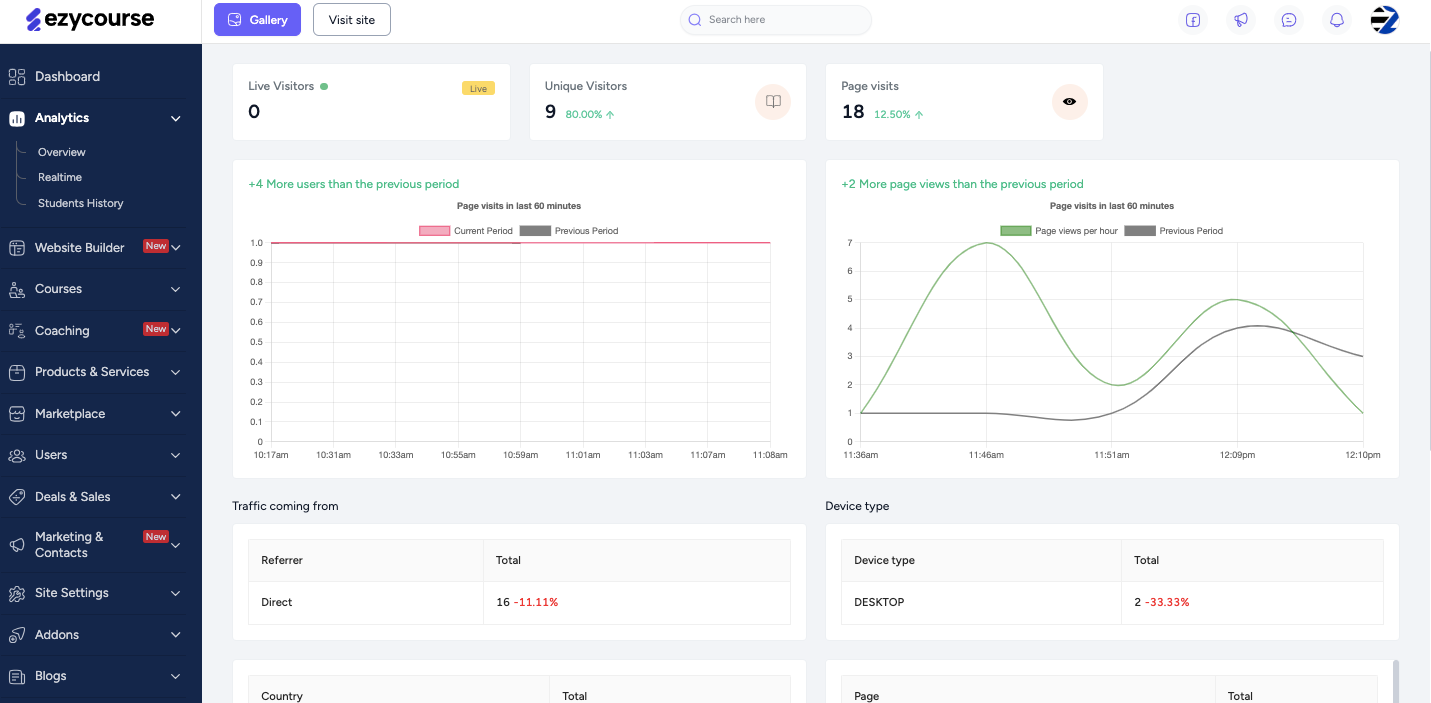
You can track student behavior, sales data, and marketing performance from a centralized dashboard.
Pros of the EzyCourse platform
All-in-one platform with all essential tools for online learning and selling.
Sell courses, memberships, digital products, and physical items easily.
Ability to offer free, paid, private, or bundled courses for flexible content options.
Takes less effort to set up and manage with SCORM.
Supports integrations with third-party tools like Zapier and Pabbly.
Find strong community features and real-time chat.
Includes effective email marketing tools to schedule and automate emails.
Get reliable 24/7 customer support for assistance anytime.
Cons of the EzyCourse platform
Contains a free trial to try the platform, but no free plan is available.
Pricing of the EzyCourse platform

Essential Plan: $59/month on an annual basis.
Pro Plan: $139/month on an annual basis.
Unlimited Plan: $199/month on an annual basis.
Elite Plan: $299/month on an annual basis.

#2 Thinkific

Thinkific is a good alternative to Klasio with loads of goodness on teaching online, selling courses, and making a good community. In fact, you can set up your course, website, and membership plans with it.
Plus, you can start with a free trial, which lets you play around with features before committing to a paid plan. With this platform, the course creation process is pretty smooth.
It also comes with a simple drag-and-drop course builder to help you organize your content easily. Plus, you can have your first course ready in less than a day with its AI-powered tools.
On top of that, you can sell your courses in different ways, like subscriptions, bundles, or one-time payments.
And, if you want to go big with your branding, it offers a branded mobile app with no coding needed. You can also have your own mobile app showcasing your content to increase visibility and revenue.
Plus, with its app store, you can integrate extra tools to level up your business. But it offers fewer options on its app, funnel, and community field compared to EzyCourse. Other than that, this platform stands out at a higher rank.
Top features of the Thinkific platform
Launch the course website with ready-made templates.
Simply drag, drop, and organize course content to manage.
Upload videos, PDFs, and other content all at once.
Connect real-time, host live sessions, and answer questions.
Get a seamless, branded mobile app with white-label benefits.
Access to the Thinkific App Store to integrate apps.
Pros of the Thinkific platform
Build your own learning community.
Offer memberships, subscription plans, bundles, or so on.
Find advanced email marketing and automation tools.
Integrates with payment processing and sales tools that make checkouts smooth.
Cons of the Thinkific platform
Fewer options in the Thinkific mobile app.
Missing funnel and community feature.
Pricing of the Thinkific platform

Start Plan: $40/month on an annual basis.
Grow Plan: $82/month on an annual basis.
Expand Plan: $164/month on an annual basis.
Thinkific Plus Plan: Personalized pricing plan.

Branded Mobile App: $199/month.
Also Read: 20 Affordable Thinkific Alternatives in 2026

#3 LearnWorlds
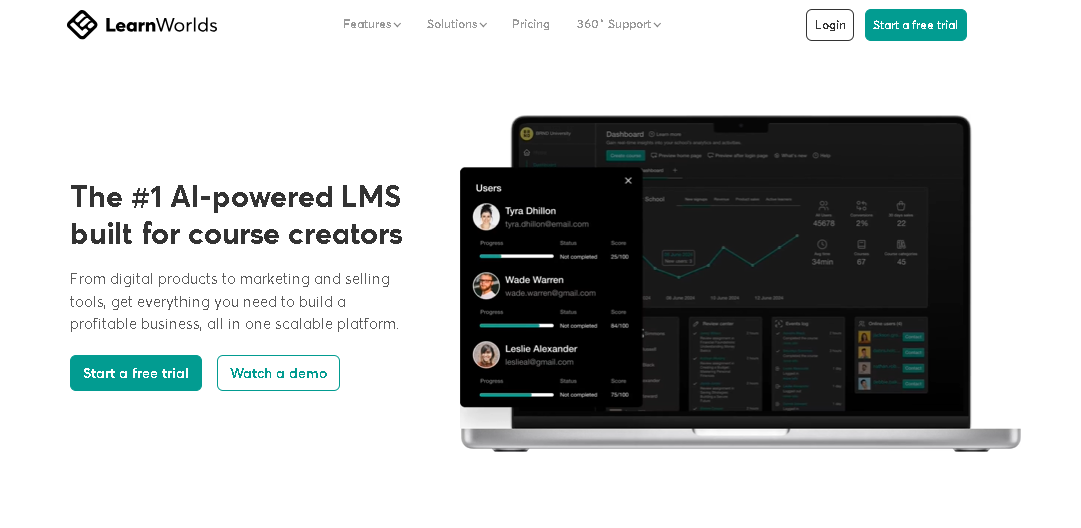
LearnWorlds is another great platform that you can use as an alternative to Klasio to create and sell online courses. It’s also a cloud-based LMS for coaches, entrepreneurs, and bigger companies to build online academies, membership sites, or mobile learning apps.
What’s the best part? You don’t need to juggle different tools for building a site. It also offers tons of third-party app integration along with builders to make a site in the finest design.
Plus, you can host your courses and promote them in one place. It also lets you use videos, images, and other content formats to make each lesson interactive.
Besides, this platform comes with smart AI features to make life easier. You can also use it to generate lessons, quizzes, certificates, and even real-life examples for your students.
Moreover, it lets you add queries, surveys, and assessments. With that, you can insert gamification options like pausing videos to take notes or highlighting important points right on the screen.
There are ready-made templates for e-books and other learning materials, too. And for those who want to make their courses available anytime, anywhere, it offers a mobile app.
Top features of the LearnWorlds platform

Get AI assistance for creating lessons, quizzes, and certifications.
50+ ready-to-use templates to build your site and content.
Connect with apps with Zoom, Webex, and Calendly.
Offer bundles or subscriptions to grow your course sales
Add assessments and quizzes along with grading options.
Find a built-in shopping cart with various payment options
Pros of the LearnWorlds platform
Supports all types of content like videos, PDFs, e-books, and more.
Interactive video hosting keeps learners engaged.
Easy to track sales, engagement, and course progress.
Drip-feed content lets you release lessons gradually.
Cons of the LearnWorlds platform
Contain fewer options in lower-priced plans.
Average reports and analytics traits.
Pricing of the LearnWorlds platform

Starter Plan: $24/month on an annual basis.
Pro Trainer Plan: $79/month on an annual basis.
Learning Center Plan: $249/month on an annual basis.
High Volume & Corporate Plan: Customized pricing plan.
Also Read This: Top 15 Best LearnWorlds Alternatives in 2025 (Free & Paid)
#4 Kajabi

Kajabi is an excellent online platform designed for those who want to create, market, and sell digital products. It’s also great as an alternative to Klasio to make online courses, host webinars, and sell your content for coaching programs.
No matter if you are an online tutor, coach, or business owner, it gives you the tools to launch and grow your online presence from one place. This platform also stands out as it combines course creation with powerful marketing tools.
Plus, if you want to upload pre-recorded lessons or host live webinars, it has both options. This also makes it perfect for real-time interaction with students or clients in 1-on-1 or group sessions.
Moreover, you can set up membership sites, offer exclusive paid content, and engage your audience in a professional space. The platform also lets you create your own branded site to showcase your products and services.
For marketing, you’ll get access to landing pages, email marketing tools, and full sales funnels to convert your audience. This platform also offers detailed analytics, so you can track how your courses and marketing efforts are performing.
However, it is a premium platform with higher pricing compared to other platforms. Also, it focuses mainly on digital products, so selling physical items is limited. But if your focus is on these, it’s better to switch from this to another.
Top features of the Kajabi platform
Quickly design attractive pages with pre-built templates.
Set up private membership sites to share exclusive paid content.
Run live sessions or upload pre-recorded videos.
Monitor courses, sales, and marketing campaigns with analytics.
Integrate with sales and marketing tools to convert more leads.
Get a branded mobile app to share your content on the app.
Pros of the Kajabi platform
Use AI-powered tools to easily launch and manage your digital products or courses.
Access powerful marketing and sales features to boost sales.
Monitor your progress with clear analytics for better decisions.
Keep your learners connected with your own branded mobile app.
Benefit from plenty of helpful guides and resources to get started.
Cons of the Kajabi platform
Fewer options for selling physical items.
In the long run, it is more expensive than others.
Pricing of the Kajabi platform

Basic Plan: $143/month on an annual basis.
Growth Plan: $199/month on an annual basis.
Pro Plan: $399 month on an annual basis.
Also Read This: 20 Affordable Kajabi Alternatives in 2026
#5 Udemy
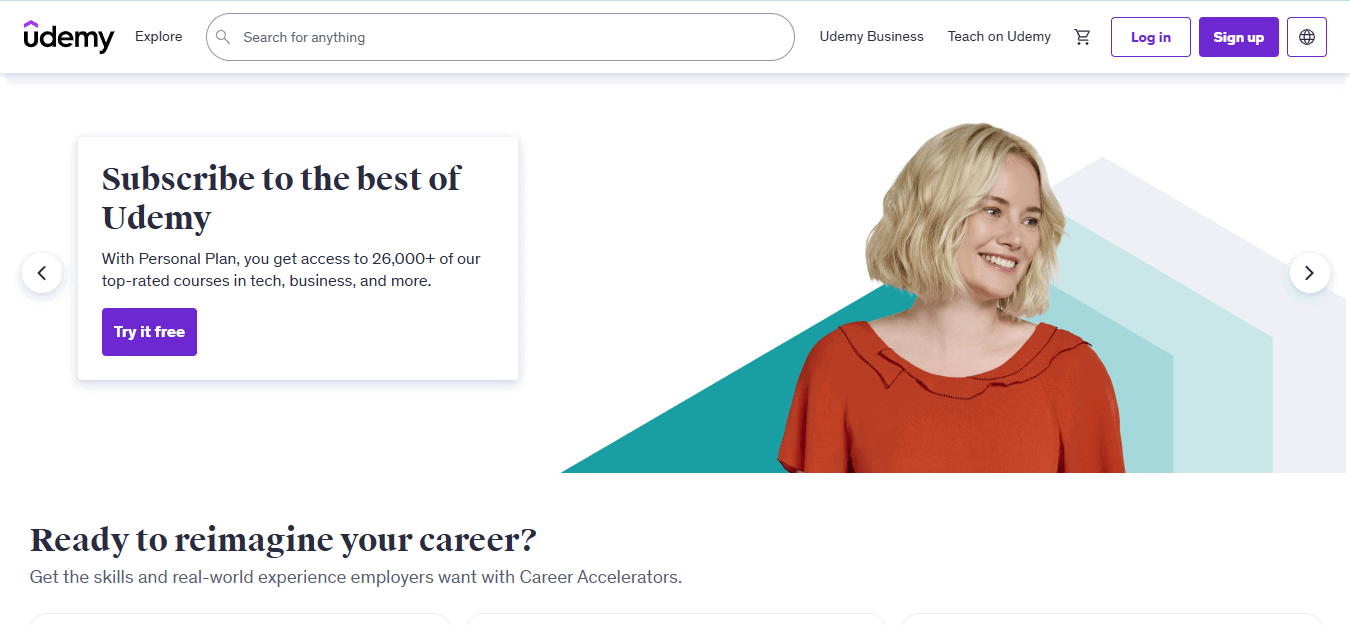
When it comes to online learning, Udemy has definitely made its mark. Whether you want to teach or learn, this platform is made to make the whole process smooth and beginner-friendly. You also don’t need to be a tech expert to use it.
For course creators, it is a great option because you can join as an instructor and start publishing your courses quickly. Plus, you don’t need to build a site or set up a membership to get started. Thanks to this, it works well as an alternative to Klasio.
The platform also offers tools and resources to help you create professional and engaging courses. Besides, you’ll get marketplace insights to help you pick topics. Plus, being a trusted platform helps your course rank better on search engines like Google.
If you're worried about the technical side of things, no stress; it provides step-by-step onboarding for instructors, 24/7 support, and other tools to promote your course. With this, you can upload videos, presentations, assignments, quizzes, and more.
What’s the coolest part? There are no extra costs to host your course. You can also upload unlimited lessons and reach as many students as you want. Besides, you get full control over your pricing to sell your course as a one-time purchase or offer subscriptions.
But then, this platform takes a healthy share of your revenue if you sell other items. And, for the courses and referrals, it cuts 3% of your sales. All in all, Udemy is worth considering.
Top features of the Udemy platform
Access to marketing promotions and coupon tools.
Share content in multiple formats like videos, documents, and so on.
Get data and reports to track how your course is performing.
Earn money via a revenue-sharing system with no hidden costs.
Get a 24/7 support center for technical help or questions.
Use marketplace insights to find trending topics.
Pros of the Udemy platform
Connect with millions of potential students worldwide.
No upfront payments, monthly fees, or sign-up charges to publish your course.
Find built-in marketing tools to promote your course.
Contains strong SEO and paid ads support to help your course get discovered.
Cons of the Udemy platform
Takes 3% share of your sales on courses and referrals.
On other sales, it gets 85% of the revenue share.
Pricing of the Udemy platform

Personal Plan: $11 per month per user.
Team Plan: $30 per month per user.
Enterprise Plan: Personalized pricing plan.
Also Read This: Skillshare vs Udemy: Which Platform is Best for Your Business?
#6 Podia

Podia is an admirable platform that helps you make or sell online tutorial courses, design digital products, and host webinars. No matter if you want to launch an online school, sell e-books, offer coaching, or build a community, it gives you a simple way to do it.
With options to create payment plans, offer discounts, and build memberships, it’s a flexible platform that suits digital creators or tutors. It also gives you the tools to create engaging courses with text, images, videos, quizzes, and assignments.
Furthermore, you can sell digital downloads like PDFs, e-books, audio files, and more. It also gives you control over pricing, so you can set your rates, add coupons, and make payment plans.
Besides, this platform is handy for memberships, so you decide what content your members can access. Plus, you can integrate with popular payment gateways like Stripe, PayPal, and Apple Pay to make transactions smooth.
It also helps you with upsells, cross-sells, and product bundles. Not to mention that it gives you built-in marketing tools like email templates, automation options, and A/B testing to improve your campaigns.
While it covers most of the features, this platform doesn’t have good customization options for page designs. Also, if you're on the Mover plan, it takes a 5% transaction fee on each sale. Other than these downsides, this platform is an ideal one.
Top features of the Podia platform
Build, upload, and sell online courses with pre-sale or drip-feed options.
Run live webinars and coaching sessions.
Includes built-in email marketing with templates and automation.
Upsell, cross-sell, and product bundles to boost revenue.
Track affiliate management and performance.
Get a customizable storefront to reflect your brand.
Pros of the Podia platform
This platform is super easy to use for beginners.
Built-in video hosting is included in every pricing plan.
Find embedded and pop-up checkouts to keep clients on your site.
Free plan available with no transaction fees once you're on a premium plan.
Cons of the Podia platform
Take 5% per transaction as a fee on the Mover plan.
Lacking in customization page designs.
Pricing of the Podia platform

Mover Plan: $42/month on an annual basis.
Shaker Plan: $84/month on an annual basis.
Earthquaker Plan: $150/month on an annual basis.
Also Read This: 16 Best Podia Alternatives You Might Look Out in 2025
#7 Teachable

Teachable is a user-friendly platform that you can use to create courses, host coaching plans, and employ tools. No matter if you're a first-time tutor or creator, it gives you what you need to get your courses out there without dealing with difficult tech stuff.
Plus, the biggest benefit of Teachable is how easily you can turn your idea into a course. You can also drag and drop your videos, docs, or quizzes onto the platform. Plus, this platform lets you set your price and publish it.
Besides, this saves you the hassle of using multiple apps or tools. With no live streaming option, it still supports live sessions via third-party platforms like YouTube, Twitch, or Adobe Connect.
Compared to Klasio, it gives you more control over the presentation of your courses. You can also make landing pages using ready-made templates. Thanks to this, you can give your courses a polished look without the need for a designer.
In addition to that, you can handle payments, manage your students, and communicate with them. This also means you don’t have to juggle different apps to run your online teaching business. Plus, it lets you sell your courses in bundles, splits, or other ways.
However, it charges transaction fees on all pricing plans. With that, this platform offers limited built-in marketing tools. If you're after a simple and efficient alternative to Klasio, Teachable is definitely worth trying.
Top features of the Teachable platform
Offer your course to a global audience with 70+ language support.
Share unlimited video hosting on paid plans.
Sell courses in flexible payment plans like Buy Now and Pay Later.
Monitor leads and conversions with sales funnel tracking tools.
Sell e-books, templates, or other digital products alongside your courses.
Connect to tons of tools like Zapier, MailChimp, and so on.
Pros of the Teachable platform
Get website customization tools to build and personalize your site.
Find deep insights with built-in analytics and reporting tools.
The iOS mobile app is available for easy course management.
Beginner-friendly course creation with simple drag-and-drop tools.
Cons of the Teachable platform
Takes 7.5% transaction fees on the starter plan.
Contain unhelpful marketing tools.
Limited student limit
Pricing of the Teachable Platform

Starter Plan: $29/month on an annual basis.
Builder Plan: $69/month on an annual basis.
Growth Plan: $139/month on an annual basis.
Custom Plan: Personalized pricing plan.
Also Read This: Top 15 Best Teachable Alternatives in 2025 (Free & Paid)
Overall thoughts on Klasio reviews
You’re at the bottom of the honest Klasio review.
While Klasio is a new platform with its ups and downs, you should be aware of the feature limitations. Keep in mind that it’s not an all-in-one platform. So, you’ll need other tools and platforms for other tasks to manage the coaching or creative plans.
However, if you are in need of a platform with everything in it, like course creation tools, site builder, community, coaching, and so on, then EzyCourse is a great choice. It also offers tons of features that are rare in any course platform.
So, what are you waiting for? Try out its free 14-day trial to test this platform before getting started!


